Keeping Context Across Async Calls in Node.js
Keep request IDs, user IDs, and tenant data across async calls in Node.js with AsyncLocalStorage. See how to use run() and getStore().

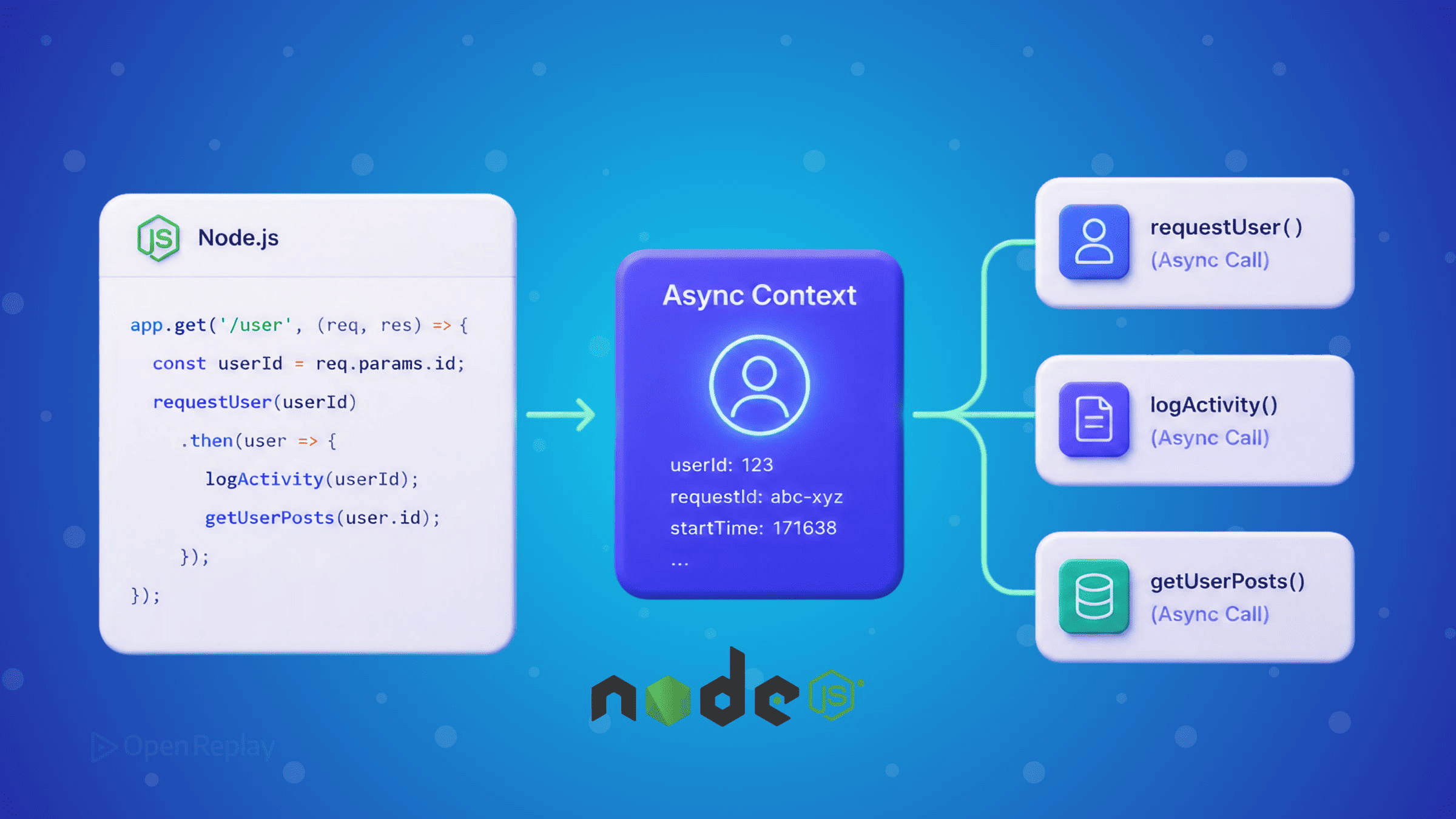
You’re three async calls deep into handling an HTTP request. You need the request ID for your logger, the user ID for your database query, and the tenant ID for your cache key. Do you pass them through every function signature? That gets messy fast.
Node.js has a clean solution built right in: AsyncLocalStorage.
Key Takeaways
AsyncLocalStoragefromnode:async_hookspropagates context across async boundaries without polluting function signatures.- It has been stable since Node.js 16.4.0 and is preferred over
cls-hookedor direct use of the low-levelasync_hooksAPI. - Establish context once at the request entry point with
run(), then read it anywhere usinggetStore(). - Ideal for request IDs, tracing data, tenant metadata, and auth context — not for business logic state.
- Watch out for context loss with non-native promises or legacy callback APIs, which
util.promisify()typically resolves.
The Problem with Async Context Propagation
In synchronous code, you can use a simple global stack to track context. But async functions break that model. When a setTimeout fires or a Promise resolves, the original call stack is gone. A plain global variable would be shared across all concurrent requests — a serious bug waiting to happen in any real API server.
Before AsyncLocalStorage was stable, developers reached for libraries like cls-hooked or hand-rolled solutions using the lower-level async_hooks module. Both approaches are fragile. The raw async_hooks API is intentionally low-level and carries real performance overhead when misused. You shouldn’t be building on it directly for application code.
AsyncLocalStorage, part of node:async_hooks, is the recommended high-level API. It has been stable since Node.js 16.4.0 and is what frameworks like AdonisJS use internally to manage HTTP context.
How AsyncLocalStorage Works
AsyncLocalStorage works like thread-local storage from other languages — except Node.js is single-threaded, so the “thread” is replaced by an async execution context. Any async operation started inside a run() call inherits that context automatically, including setTimeout, Promise chains, and await calls.
import { AsyncLocalStorage } from 'node:async_hooks';

const requestContext = new AsyncLocalStorage();
You create one instance (typically as a module-level singleton), then use run() to establish a context at the entry point of each request.
A Realistic Request-Scoped Logging Example
Here’s a minimal Express middleware that attaches a request ID to every log line — without passing anything through function arguments:
import express from 'express';
import { AsyncLocalStorage } from 'node:async_hooks';
import { randomUUID } from 'node:crypto';

const requestContext = new AsyncLocalStorage();

// Middleware: establish context for each request
function contextMiddleware(req, res, next) {
  const store = { requestId: randomUUID(), userId: req.headers['x-user-id'] };
  requestContext.run(store, next);
}

// Logger: reads context without any arguments
function log(message) {
  const ctx = requestContext.getStore();
  const prefix = ctx ? `[${ctx.requestId}]` : '[no-context]';
  console.log(`${prefix} ${message}`);
}

// Simulated async database query
async function someDbQuery() {
  return new Promise((resolve) => setTimeout(resolve, 50));
}

// Route handler: calls async functions freely
async function fetchUserData() {
  log('Fetching user data');         // ✅ has request ID
  await someDbQuery();
  log('Fetched user data');          // ✅ still has request ID
}

const app = express();
app.use(contextMiddleware);

app.get('/user', async (req, res) => {
  log('Request received');
  await fetchUserData();
  res.json({ ok: true });
});

app.listen(3000);
The key insight: fetchUserData never receives the request ID as a parameter. The context propagates automatically through the async boundary because it was established with run().

Discover how at OpenReplay.com.
What to Store in Context
AsyncLocalStorage works well for cross-cutting concerns that are request-scoped but not part of your business logic:
- Request IDs for distributed tracing and log correlation
- Authenticated user or tenant metadata for multi-tenant applications
- Trace context for tools like OpenTelemetry
- Feature flags resolved at request time
Avoid storing large objects or anything that changes frequently. Keep the store small and treat it as read-mostly after initialization.
One Gotcha: Context Loss
Context can be lost when using non-native promise implementations or some older callback-based APIs. If getStore() returns undefined where you don’t expect it, check whether the async operation was started inside a run() call. Wrapping callback-based code with util.promisify() often helps, though some custom async resources may require AsyncResource.
Conclusion
AsyncLocalStorage solves a real problem elegantly. Instead of threading request metadata through every function call, you establish context once at the request boundary and read it wherever you need it. It’s the right tool for request-scoped logging, tracing, and auth context in any Node.js API or SSR application.
FAQs
Does AsyncLocalStorage have a noticeable performance cost?
There is a small overhead because Node.js must track async resources to propagate the store, but for typical web workloads the cost is negligible. Performance has improved significantly across recent Node.js versions, and the trade-off is usually worth it compared to manually threading context through every function call.
Can I use multiple AsyncLocalStorage instances in one application?
Yes. You can create separate instances for different concerns such as logging context, tracing, and tenant data. Each instance maintains its own independent store, so they will not interfere with each other. Just keep each instance as a module-level singleton so the same reference is used throughout your code.
Is AsyncLocalStorage safe to use with worker threads?
Each worker thread has its own isolated AsyncLocalStorage state, so context does not cross thread boundaries. If you need to share request context with a worker, pass the relevant data explicitly through the worker's message channel and re-establish the store inside the worker with another run() call.
How does AsyncLocalStorage compare to passing context explicitly?
Explicit passing is more predictable and easier to test, but it clutters function signatures and pollutes intermediate layers that do not actually need the data. AsyncLocalStorage is best for cross-cutting concerns like logging and tracing, while business-critical data should still flow through arguments to keep code clear and testable.
Gain Debugging Superpowers
Unleash the power of session replay to reproduce bugs, track slowdowns and uncover frustrations in your app. Get complete visibility into your frontend with OpenReplay — the most advanced open-source session replay tool for developers.
Star on GitHub12k