Using Git Worktrees with AI Coding Agents
Use git worktrees with AI coding agents to isolate branches, avoid file conflicts, and manage ports, databases, and merges safely.

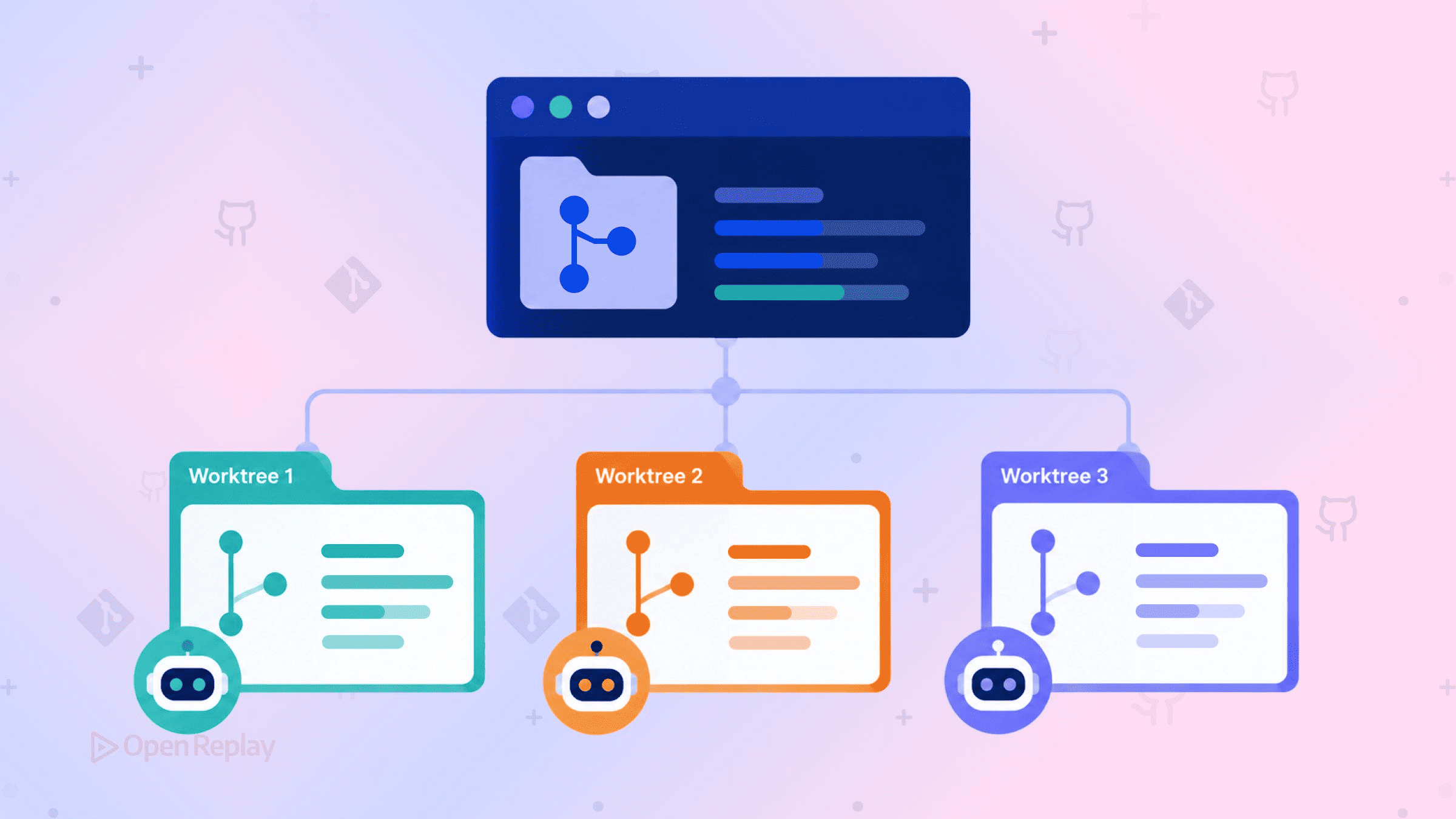
The reliable way to run multiple AI coding agents on one repository is one task, one branch, one worktree, one agent: each agent gets its own directory created with git worktree add, works on its own branch, and never touches the files another agent is editing.
Most developers arrive at this pattern the hard way. Two agents in one checkout quietly overwrite each other’s half-finished edits, or one agent wedges itself trying to check out a branch that is already checked out somewhere else. This article is about the agent workflow specifically: what the pattern isolates, what it deliberately does not, and what to do when three agents finish at once.
Key Takeaways
- Run one agent per worktree:
git worktree add ../task-a -b agent/task-a maingives each agent an isolated directory and branch. - Worktrees isolate files, not runtime: ports, databases, and Docker volumes belong to the machine, so assign each worktree its own port and database.
- A new worktree contains only tracked files; run
npm ciand copy.envbefore starting an agent. - A branch can be checked out in only one worktree, so tell agents never to run
git checkoutorgit switch. - Merge finished branches one at a time, rebasing each on the updated
mainbefore merging.
The Git Worktree Pattern for AI Agents
The one-agent-per-worktree pattern takes two commands per task. Create a worktree with a fresh branch based on main, then start an agent inside it:
git worktree add ../task-a -b agent/task-a main
git worktree add ../task-b -b agent/task-b main
Point one agent at ../task-a and another at ../task-b. Each has its own working directory, its own index, and its own HEAD, while all worktrees share the same object database and refs, so commits made in one are immediately visible from the others. Bind the worktree to the task, not the agent: create it when work starts, delete it when the branch merges. Anthropic documents this same manual sequence in Claude Code’s worktrees guide, and Cursor runs agents in isolated worktrees from its Agents Window; Codex works the same way when pointed at a directory.
Why Does One Shared Directory Fail?
Two agents in one directory fail silently: neither git nor the agents raise an error when one overwrites the other’s uncommitted edits, so the damage surfaces only at review time. Git’s conflict detection compares commits; concurrent writes to the same working tree never reach it.
The second failure is louder but worse. Concurrent git operations in a shared directory collide on .git/index.lock, and if an agent crashes while holding the lock, the stale file blocks every other agent’s git commands until someone deletes it by hand. Some agents retry; others give up committing and keep generating code on top of unbounded uncommitted state. Separate worktrees dissolve both problems, because each worktree stages against its own index rather than a shared one.
What a New Worktree Does Not Contain
A new worktree contains only tracked files, so node_modules, .env, build caches, and anything else gitignored are absent until you create them. An agent started in a bare worktree will fail its first test run or, worse, “helpfully” rewrite config to compensate. Bootstrap every worktree before the agent starts:
cd ../task-a
npm ci
cp ../main-repo/.env .env
npm ci is the right install here: it is built for clean environments and installs exactly what the lockfile specifies. If your agent is Claude Code, a .worktreeinclude file can carry gitignored files like .env into the worktrees Claude Code creates itself, but it does not apply to worktrees you create by hand with git worktree add, so the manual copy works for every tool.
What Worktrees Do Not Isolate
Worktrees isolate files, not runtime: ports, databases, Docker volumes, and shared caches belong to the machine, so two dev servers started from two worktrees still fight over port 3000. The directory boundary means nothing to anything addressed by hostname or port.
| Isolated per worktree | Shared across the machine |
|---|---|
| Working files, uncommitted edits | TCP ports |
| Index (staging area) | Databases |
Checked-out branch / HEAD | Docker volumes and daemon |
| Build output inside the directory | Global package caches |
Give each worktree its own port and its own database before starting an agent that runs migrations, because a schema change made through one worktree lands in any database the others share. Set both in the copied .env:
# ../task-a/.env
PORT=3001
DATABASE_URL=postgres://localhost:5432/app_agent_task_a
Naming the database after the branch makes stale ones easy to spot and drop later. Containers can isolate the runtime layer too, but that is a separate article’s worth of trade-offs.
How Do You Tell the Agent It Is in a Worktree?
A branch can only be checked out in one worktree at a time, so an agent that tries to sync by running git checkout main gets an error and often stalls. The git checkout manual sets out this behaviour and names --ignore-other-worktrees as the way to override it. Do not let the agent discover this at runtime; put it in the instructions file the agent reads (AGENTS.md, CLAUDE.md, or equivalent):
You are working inside a git worktree.
Stay on the current branch. Never run `git checkout` or `git switch`.
To sync with main, run `git fetch origin` and `git rebase origin/main`.
When an agent only needs to read or build a specific commit, skip branches entirely: git worktree add --detach creates a worktree with a detached HEAD, which sidesteps the exclusivity rule altogether.
git worktree add --detach ../review-b1a2c3 b1a2c3How Do You Merge What Comes Back?
Worktrees do not remove merge conflicts; they move them from silent runtime overwrites to visible conflicts at merge time, where normal git tooling handles them. When several agents finish together, integrate serially: merge one branch, rebase the next onto the updated main, merge it, and repeat.
cd ../main-repo
git merge agent/task-a

cd ../task-b
git rebase main
cd ../main-repo
git merge agent/task-b
Each rebase surfaces conflicts against everything already merged, one branch at a time, instead of stacking three-way surprises. The ordering rule sits upstream of the merge: tasks that touch the same files, or where one consumes the other’s output, get sequenced rather than parallelized. No worktree arrangement fixes a task decomposition that was never independent.
How Many Agents, and When to Clean Up
The practical ceiling is not git or disk; it is your review bandwidth, since every parallel agent produces a branch you must read, test, and merge. Teams publishing about this workflow, like incident.io’s engineering team, describe running four or five agents at once, and most developers find fewer is plenty. When a branch merges, run git worktree remove ../task-a; because the bootstrap added untracked files, expect to need --force, which git worktree remove requires for unclean worktrees. If a directory was deleted with rm -rf instead, git worktree prune clears the stale metadata git still holds.
Starting With Two Agents
One task, one branch, one worktree, one agent turns parallel agents from a source of silent corruption into a set of reviewable branches. Start with two: create the worktrees, bootstrap each with npm ci and a per-task .env, add the stay-on-branch instruction, and practice the rebase-then-merge sequence before scaling past what you can actually review.
FAQs
Should I use git worktrees or separate clones to run AI agents in parallel?
Worktrees are usually better because they share one object database, so a commit made in one worktree is immediately visible from the others without pushing or fetching, and history is stored only once on disk. Separate clones duplicate the full history and need push and fetch to exchange commits. Clones only win when you need complete isolation, such as repositories with submodules.
Do git worktrees work with repositories that use submodules?
Only partly. Git's own worktree manual files submodule support under BUGS, calls multiple checkout experimental, and advises against checking out a superproject in more than one place at once. A worktree holding submodules also cannot be relocated with git worktree move. For parallel agents on a repository with submodules, separate full clones are the safer isolation mechanism, even though they duplicate history and require pushing to share commits between checkouts.
Do all git worktrees share the same git configuration?
Yes. Every worktree reads the same repository config unless you opt out. To give one worktree its own settings, run git config extensions.worktreeConfig true, then write values with git config --worktree, which keeps them in that worktree's own config.worktree file. The trade-off: older Git releases will not open a repository once the extension is on.
Does removing a worktree delete the agent's branch?
No. Branches are refs shared across the whole repository, so git worktree remove deletes the working directory and its metadata but leaves the branch and every commit on it intact. Only uncommitted changes in that directory are lost, which is why remove refuses unclean worktrees unless you pass --force. Delete the branch separately with git branch -d after it merges.