Local-First Architecture for Progressive Web Apps
Local-first architecture for PWAs: how service workers, IndexedDB or SQLite, and sync engines keep data offline, consistent, and user-owned.

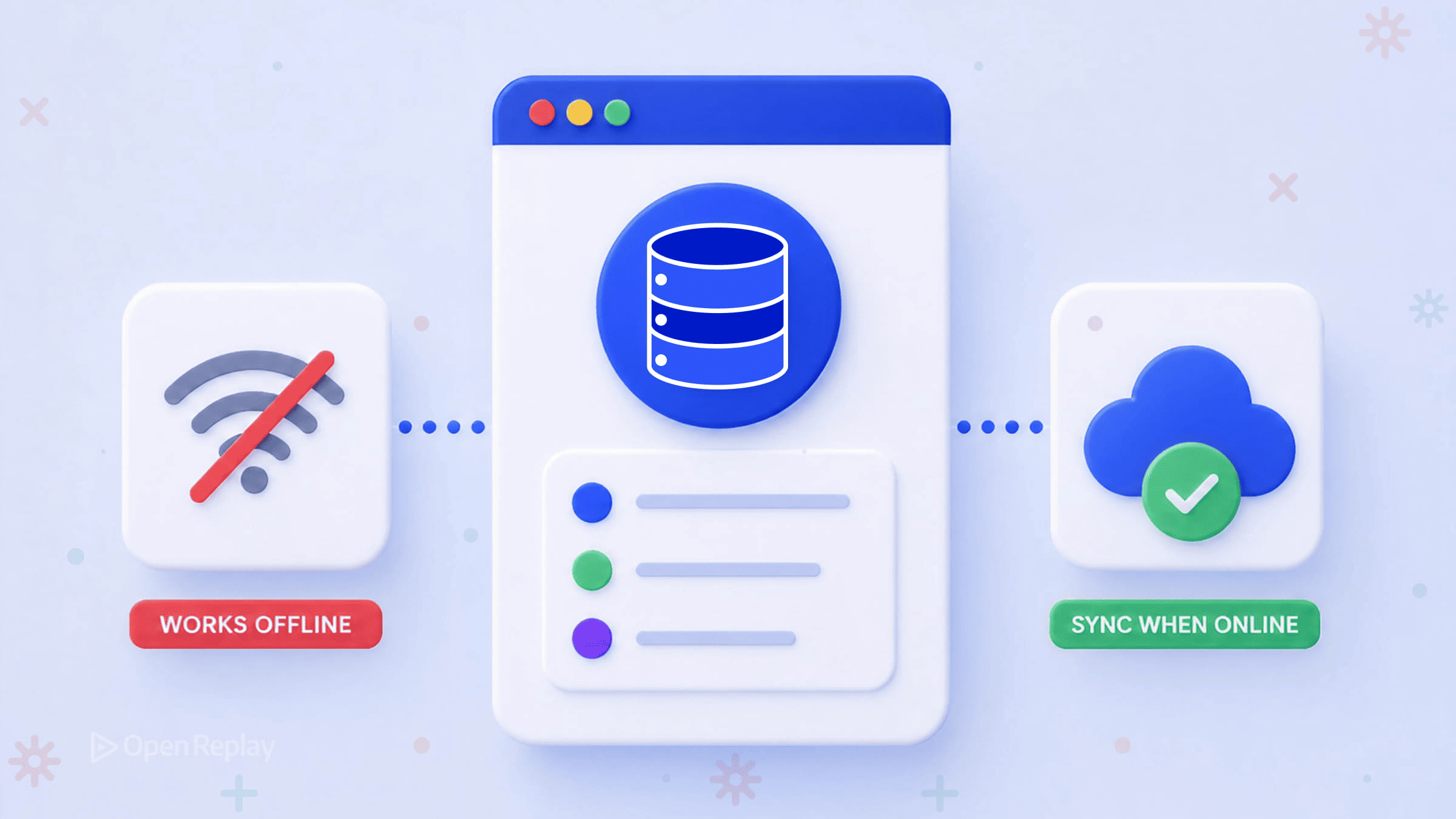
Service workers move the app to the user’s device; local-first moves the data. That single distinction explains why your PWA’s shell loads instantly offline while every list, record, and form still spins on a fetch() that fails the moment the network drops. The shell is cached; the data is not. They live at different layers, and the gap between them is where most PWA “offline support” quietly breaks.
This article is for developers who have already shipped a PWA — the manifest is valid, the service worker caches assets, the app installs to the home screen — and who suspect “local-first” means something more than the offline-first work they’ve already done. It does. Local-first is a data architecture, not a runtime mechanism. The rest of this piece separates those layers cleanly, shows what a local-first PWA looks like as a stack you add to rather than rebuild, surveys the storage and sync options, and gives a PWA-specific guide to when the pattern earns its complexity.
Key Takeaways
- Service workers cache assets and serve the offline shell; local-first is a data architecture in which the device holds the primary copy of the data and the server, when present, acts as a sync peer rather than a gatekeeper.
- A local-first PWA has three composable layers: a service worker (assets and offline shell), a local database (data reads and writes), and a sync engine (eventual consistency with the server) — you add the second and third without replacing the first.
- IndexedDB is the practical floor for local data storage; OPFS-backed SQLite compiled to WebAssembly is the current ceiling, giving a full relational database in the browser.
- Field-level last-write-wins resolves the majority of conflicts in typical applications; collaborative text needs CRDTs, and semantic conflicts (two users booking the same room) require server-side validation during sync.
- Local-first fits installable note-taking, field-service, and collaborative-editing PWAs; it adds nothing to dashboards of server-generated data or anything bound to ACID guarantees.
Why Your PWA’s Data Still Hits the Network
A PWA with a cached shell but a fetch()-dependent data layer is offline only in the narrowest sense — the chrome loads without the network, and then every component that needs data stops. The service worker can replay the HTML, CSS, and JavaScript from the Cache API without touching the network, so the app renders offline. But the data those components display still comes from a network request, and a ServiceWorker intercepting a fetch() for dynamic user data has nothing useful to return when that data has never been cached or has changed since it was.
This is the structural reason offline-first PWA work stops at the shell. Caching strategies — cache-first, network-first, stale-while-revalidate — are answers to which version of an asset to serve and how stale it may be. They are not answers to where the user’s data lives and who owns the authoritative copy. The Cache API stores HTTP responses keyed by request. It is not a database you query, write to, and read back inside a component. To close the gap, you need an actual local data store and a strategy for keeping it consistent with the server. That is local-first.
Local-First Is Not Offline-First, and Neither Is a Service Worker
Local-first, offline-first, PWA, and service-worker caching are four distinct ideas that compose but are not interchangeable. Conflating them is the single most common confusion in this space.
| Term | What it is | What layer it operates at |
|---|---|---|
| PWA | A delivery model: installable, manifest-driven, push-capable web app | Packaging |
| Service worker | A runtime mechanism that intercepts requests and serves cached assets | Network / runtime |
| Offline-first | A design goal: degrade gracefully when the network is unavailable, with the server still the source of truth | Behavior |
| Local-first | A data architecture: the device holds the primary copy; the server is a sync peer | Data |
Offline-first means the application handles network loss gracefully, but the server remains the source of truth — the local cache is a convenience copy that defers to the remote. Local-first inverts that relationship: the user’s device holds the primary copy of the data, the application reads and writes to a local database, and the server, when present, is one node among several that reconcile in the background. The clean separation matters because it tells you what you can reuse. Your service worker and your framework do not change. You are adding a data layer beneath them.
Plainvanilla’s local-first walkthrough bundles the backend-for-frontend into the service worker as part of the architecture. That is one possible implementation, not the definition. Keep the layers distinct: local-first is about where data lives and which copy is authoritative; the service worker is a mechanism that happens to be available in the same runtime.

Discover how at OpenReplay.com.
What Local-First Actually Means
Local-first is a data architecture in which the user’s device holds the primary copy of the application’s data, the app reads and writes to a local database, and the server, when present, is a sync peer with special authority rather than a gatekeeper that must approve every read and write. The application reads from and writes to a local database synchronously from the user’s perspective, and synchronization with the server or other devices happens asynchronously in the background. The architectural shift is a reclassification of the client: it stops being a thin view that requests permission to display data and becomes a full participant that owns a replica.
The canonical reference is the 2019 essay Local-First Software: You Own Your Data, in Spite of the Cloud from Ink & Switch, which lays out seven ideals — fast, multi-device, offline, collaborative, long-lived, private, and user-controlled. The single property that changes how you write code is the first one: because reads and writes go to a local database, there is no isLoading flag on a read and writes can update local state immediately. The local write is the state, while synchronization and conflict resolution happen in the background.
In component code, that collapses a fetch-and-cache dance into a direct query. Instead of a useQuery that returns { data, isLoading, error }, a local-first query subscribes to the local database and re-renders when it changes:
// Local-first: the query reads the local DB and re-renders on change.
// No isLoading, no error boundary for the read, no cache invalidation.
function TaskList({ projectId }) {
  const tasks = useLiveTasks(projectId); // subscribes to local DB
  return (
    <ul>
      {tasks.map((t) => (
        <li key={t.id}>{t.title}</li>
      ))}
    </ul>
  );
}
The useLiveTasks hook is provided by the sync engine or query layer you choose; the shape is what matters. A write is a plain insert against the local store, the subscription fires, and the UI updates. Sync to the server happens whenever the network allows.
The Three Layers of a Local-First PWA
A local-first PWA has three composable layers: a service worker that caches assets and serves the offline shell, a local database (IndexedDB or OPFS-backed SQLite) that holds the user’s data and serves all reads and writes, and a sync engine that reconciles the local database with the server in the background. Each layer owns one concern and knows nothing about the internals of the others.
| Layer | Role | Owns | Does NOT own |
|---|---|---|---|
| Layer 3 — Sync engine | Reconciles the local database with the server. | Conflict resolution, eventual consistency, background push/pull. | Rendering, asset caching. |
| Layer 2 — Local database | Holds the user’s data. IndexedDB or OPFS-backed SQLite (WASM). | All reads and writes the UI performs. | The network, the offline shell. |
| Layer 1 — Service worker | Caches assets and serves the offline shell. | Caching assets, serving the offline shell, install/activate lifecycle, push. | User data. |
Adopting local-first in an existing PWA does not require replacing the service worker or the application framework — it requires adding a data layer that the application reads from and writes to locally, and a sync engine that keeps that layer consistent with the server. Layer 1 already exists in your PWA. You are introducing Layers 2 and 3 underneath the components that currently call fetch(), and rewiring those components to read from the local database instead.
Where the Data Lives: A Local Storage Primer
localStorage is not the answer. It is synchronous, so it blocks the main thread; it stores strings only; and per the MDN Web Storage API documentation, its capacity is small and browser-specific — fine for a theme preference, unfit for a data layer.
IndexedDB is the floor — asynchronous, available in every modern browser, and capable of holding far more than localStorage, though the storage quota is origin-based and browser-specific rather than a fixed cap. Its native API is low-level and verbose — a single write requires opening a transaction, targeting an object store, and wiring up request callbacks — which is why most applications reach for a wrapper.
The ceiling is SQLite compiled to WebAssembly, persisted to the Origin Private File System (OPFS). OPFS-backed SQLite gives you a full relational database in the browser — transactions, indexes, and a familiar SQL interface running locally on the client. OPFS supports high-performance synchronous file access through createSyncAccessHandle(), which is only available inside a Web Worker — exactly the access pattern SQLite needs. The official SQLite WebAssembly distribution documents OPFS as a supported persistence backend.
In code, a write against SQLite-over-WASM reads like server-side SQL — a single statement against a relational store:
// SQLite (WASM) via the official sqlite-wasm package: ordinary SQL.
await db.exec({
  sql: "INSERT INTO tasks (id, title, done) VALUES (?, ?, 0)",
  bind: [crypto.randomUUID(), "Review draft"],
});
Browser support for OPFS is broad as of late 2025 — see the MDN compatibility table for the File System API for current per-browser status, which is the authority to check against your support matrix rather than a hardcoded version list, since it changes. A common production gotcha is that OPFS behavior can differ subtly between browser engines and embedding contexts, so an IndexedDB-backed fallback path remains worth keeping for browsers and environments where OPFS support is unavailable, constrained, or behaves differently from your primary target platform.
The Sync Engine Landscape
The sync engine is the layer that makes local-first more than offline-first: it reconciles the local replica with the server and other devices. You do not need to build it. Several production and emerging engines occupy different niches, and the right one depends on the shape of your app and your existing backend. There is no web standard for sync, so each engine defines its own protocol — keep the sync layer abstracted so swapping engines is feasible.
- PowerSync — replicates a Postgres backend to a client SQLite database with a write-back path; the strong fit when you already run Postgres and want offline support without rearchitecting the server.
- Electric — a Postgres sync engine built around “Shapes” that define which data each client receives. A strong fit for applications that need partial replication and per-user data synchronization on top of an existing Postgres backend.
- Replicache and Zero (both from Rocicorp) — query-driven sync systems that prioritize local-first user experiences over row-level replication. A strong fit for applications built around client-side mutations, optimistic updates, and server-side reconciliation.
- Triplit — a full-stack database with sync built in, so the client and server database are one mental model rather than two; fits greenfield apps that want sync as a default.
- Yjs and Automerge — CRDT libraries for collaborative editing; the right choice when multiple users edit the same rich text or structured document concurrently and you need character-level merge.
For most line-of-business PWAs that sync user-owned records, a row-replication engine over your existing database is a closer fit than a CRDT library. Reach for Yjs or Automerge specifically when real-time collaborative text is the product, not as a general-purpose conflict solution.
Resolving Conflicts
When two replicas modify the same data without seeing each other’s changes, the sync engine must reconcile them. Conflicts fall into three categories, each with a different resolution strategy.
-
Structural conflicts — field-level last-write-wins. Field-level last-write-wins handles the majority of conflicts in typical applications: if two users edit different fields of the same record offline, both changes survive; if they edit the same field, the later timestamp wins. This is a widely used rule of thumb in the local-first community rather than a measured constant — Martin Kleppmann’s Designing Data-Intensive Applications covers the consistency tradeoffs of last-write-wins in depth.
-
Collaborative-text conflicts — CRDTs. When two users type into the same paragraph, last-write-wins discards one person’s keystrokes. Conflict-free replicated data types merge concurrent edits at the character level so both sets of characters appear coherently. Yjs and Automerge implement this; the merge mechanics differ, but the guarantee is the same — concurrent edits converge without a central coordinator.
-
Semantic conflicts — server-side validation. Some conflicts merge cleanly at the structural level yet produce a result that violates a domain invariant. Example: two offline users each book the same meeting room for 2 PM. Both writes target different records, so a field-level merge accepts both — structurally fine, but a double-booking. Semantic conflicts, where the data merges cleanly but the result violates a domain invariant, require server-side validation during sync. The pattern that avoids data loss is to accept the conflicting write, flag the violation, and surface it to the user as a resolvable notification rather than silently rejecting it — rejection leaves the client holding records the server refuses to acknowledge.
The hardest bugs in local-first PWAs are not sync failures — those surface in logs. They are silent overwrites: an optimistic write succeeds locally, sync completes without error, and the user’s change is quietly replaced by a remote version that won the last-write-wins race. The failure is invisible to server logs, error monitoring, and network traces; it only becomes legible in a tool that records the sequence of UI states — the optimistic update and the silent revert that follows. Session replay is one of the few places that mismatch shows up as a watchable sequence rather than a clean log line.
When Local-First Fits Your PWA Specifically
Local-first fits a PWA when the data the app manages is owned by the user and benefits from instant local interaction; it adds nothing when the data is generated by the server or bound to strong transactional guarantees. The deciding question is not the app category in the abstract — it is whether the data belongs on the device.
| PWA use case | Does local-first help? | Why |
|---|---|---|
| Installable note-taking app | Yes | User-owned data, instant reads/writes, offline editing is the core value; the installable shell and local data reinforce each other. |
| Field-service app on unreliable connectivity | Yes | Work happens where the network is weak; writes must succeed offline and sync when coverage returns. |
| Collaborative editing tool | Yes | Concurrent editing is the product; CRDT-backed sync delivers real-time merge without a roundtrip per keystroke. |
| Analytics dashboard | No | The server generates the data; caching the shell is useful, but local-first adds nothing to data the user does not own or mutate. |
| E-commerce checkout | No | Payment and inventory need ACID guarantees and a single authoritative database; eventual consistency can oversell stock or double-charge. |
| Social feed | No | The feed is server-ranked and server-owned; the client consumes it rather than authoring it. |
The pattern aligns with PWA strengths exactly where the user creates and owns the data. For a note-taking PWA, the installable shell, the offline write, and the background sync compose into an experience close to a native app. For a dashboard, the service worker can cache the shell for a faster load, but the numbers still come from the server — local-first solves a problem that use case does not have.
You Add a Data Layer, You Don’t Rebuild the App
Retrofitting local-first into an existing PWA means adding two layers, not rebuilding what you have: a local database and a sync engine slot underneath the components that currently spin on fetch(), while the service worker and the framework stay where they are. You are not replacing the PWA work you have already done — you are completing it, moving the data to the user the way the service worker already moved the app. The concrete next step is small: pick one feature whose data the user owns and edits, back it with IndexedDB or OPFS-backed SQLite, wire its component to read from that store, and let a sync engine reconcile it in the background. That single feature will tell you, faster than any further reading, whether the rest of your app belongs there too.
FAQs
Do I still need a backend if I build a local-first PWA?
Usually yes, but its role changes. In a local-first architecture the server stops being a gatekeeper that approves every read and write and becomes a sync peer that reconciles the local database across devices, persists a durable copy, and enforces server-side validation for semantic conflicts such as double-bookings. Apps that need ACID guarantees, payments, or authoritative shared state still require a real backend; only the read and write path through the UI moves to the local database.
Does local-first replace my service worker?
No. They operate at different layers and compose rather than compete. The service worker caches assets and serves the offline shell; local-first adds a local database and a sync engine beneath the components that currently call fetch. Retrofitting local-first into an existing PWA means keeping the service worker and framework in place and introducing the data and sync layers underneath them, not rewriting Layer one.
When should I choose CRDTs like Yjs over last-write-wins?
Choose CRDTs when concurrent editing of the same rich text or structured document is the product itself, because last-write-wins discards one user's keystrokes when two people type into the same paragraph. Conflict-free replicated data types merge concurrent edits at the character level so both sets of characters converge without a central coordinator. For most line-of-business PWAs syncing user-owned records, field-level last-write-wins over a row-replication engine is the closer fit; reserve Yjs or Automerge for real-time collaborative text.
Why did my offline edit disappear after the PWA reconnected?
This is a silent overwrite. An optimistic write succeeds locally, the sync completes without error, and a remote version wins the last-write-wins race, quietly replacing the local change. The failure is invisible to server logs, which show success, to error monitoring, which throws no exception, and to network traces, which show the request went through. It only becomes legible in a tool that records the sequence of UI states, capturing both the optimistic update and the revert that follows.