The Event Loop, Worker Threads, and Concurrency in Node.js
Node.js event loop, libuv thread pool, worker threads, and cluster explained with clear guidance on I/O vs CPU-bound concurrency.

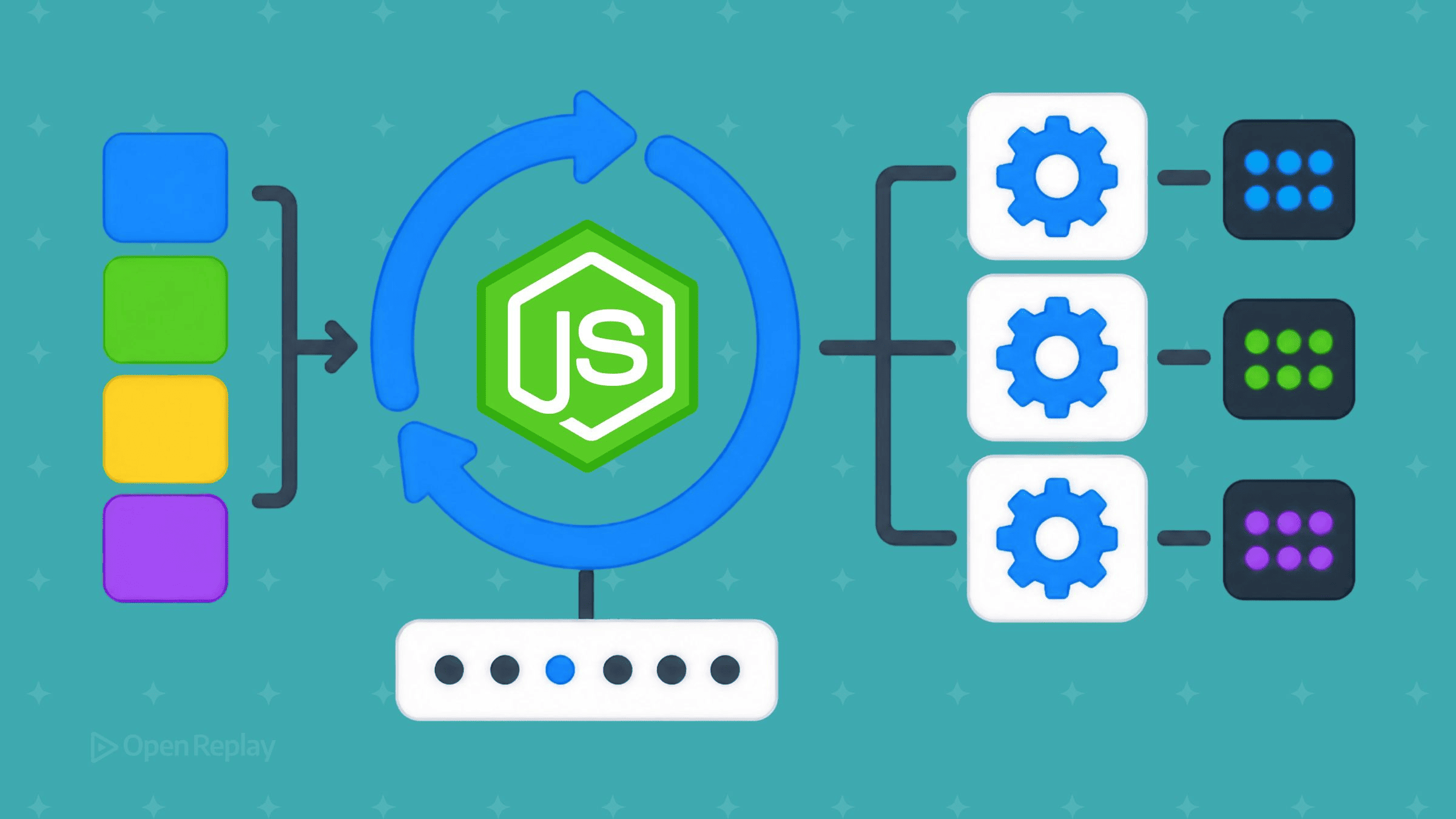
Node.js runs your JavaScript on a single thread driven by the event loop; concurrency comes from outsourcing the waiting — libuv hands blocking I/O to a background thread pool — not from running your JS in parallel. When you need to run JavaScript in parallel for CPU-bound work, that’s a separate mechanism: worker threads, each a full V8 isolate with its own event loop. Those three things — the single JS thread, the libuv thread pool, and worker threads — get conflated constantly, and the confusion is where slow endpoints and stalled servers come from.
This article separates the layers precisely. It explains the event loop’s phases and the microtask/macrotask split, what the libuv thread pool actually serves (and what it doesn’t), when worker threads beat plain async/await, how clustering differs, and a decision rule for picking among them. Code is written against Node.js 24 (Active LTS) with Node.js 26 as the Current line; worker threads are stable, not experimental.
Key Takeaways
- Node executes your JavaScript on one thread; the event loop achieves concurrency by handing blocking I/O to libuv’s background thread pool, not by running your code in parallel.
- The libuv thread pool defaults to 4 threads and can be raised to a maximum of 1024 via
UV_THREADPOOL_SIZE; it serves file-system,dns.lookup, crypto, and zlib work — but not network sockets, which use the OS’s epoll/kqueue/IOCP directly. - A worker thread is not “just an OS thread” — each is a separate V8 isolate with its own event loop and libuv loop, which is why workers can’t share ordinary objects and must communicate by message passing.
- Microtasks are not a phase of the event loop:
process.nextTickcallbacks drain first, then the promise microtask queue, and only then does the loop advance to the next macrotask. - Choose by bottleneck:
async/awaitfor I/O-bound work, worker threads for CPU-bound JavaScript, and cluster to scale I/O-bound load across cores.
The core model: one JS thread, an event loop, and libuv
Node.js executes your JavaScript on a single thread, and that thread runs the event loop. The runtime is built on Google’s V8 engine for executing JavaScript and on libuv, a C library that provides the event loop and asynchronous I/O. The trick that makes one thread handle thousands of concurrent connections is delegation: when your code calls a blocking operation like a file read, Node doesn’t sit and wait. It registers the operation with libuv, returns immediately, and your callback runs later when the result is ready.
Concurrency in Node is outsourcing the waiting. While a file read or a DNS lookup is pending, the single JS thread is free to run other callbacks. Nothing in your JavaScript runs in parallel — there is exactly one call stack — but many operations can be in flight at once because the slow parts happen elsewhere.
This is why “Node is single-threaded” is a half-truth worth correcting. The JavaScript execution is single-threaded. The runtime is not: libuv maintains a pool of background threads, and the operating system handles network sockets on Node’s behalf. Treat “single-threaded” as a statement about where your code runs, not about the process as a whole.
Common myth: “Node is single-threaded.” Your JavaScript runs on one thread; the Node process uses several. The distinction is the whole point of this article.
Concurrency vs. parallelism, stated precisely
Concurrency means multiple tasks make progress over the same period by interleaving on a shared resource; parallelism means multiple tasks execute at the same instant on separate cores. A single-core machine running Node is concurrent but not parallel: the event loop rapidly switches between in-flight operations, but only one piece of JavaScript executes at any moment. Worker threads and clustering add genuine parallelism by introducing additional execution contexts that the OS can schedule on different cores.
The practical consequence: concurrency solves waiting problems (I/O), parallelism solves computing problems (CPU). Reaching for the wrong one is the root cause of most Node performance mistakes.
The event loop’s six phases and the microtask split

Discover how at OpenReplay.com.
The event loop runs in a fixed cycle of six phases, and each phase has its own queue of callbacks that it drains completely before moving to the next. Per the official Node.js event loop guide, the phases in order are:
- Timers — runs callbacks scheduled by
setTimeout()andsetInterval()whose threshold has elapsed. - Pending callbacks — executes certain system-level callbacks deferred from a previous cycle.
- Idle, prepare — internal use only.
- Poll — retrieves new I/O events and runs their callbacks; the loop will block here waiting for I/O if there’s nothing else to do.
- Check — runs
setImmediate()callbacks. - Close callbacks — runs close handlers like
socket.on('close', ...).
Note the third phase: many explainers list only five and omit idle/prepare, which exists but is reserved for internal libuv bookkeeping. It’s real; you just never schedule into it directly.
Microtasks are not a phase
Microtasks are not a phase of the event loop. process.nextTick callbacks drain first, then the promise microtask queue drains, and only then does the loop move to the next macrotask — so process.nextTick outranks Promise.then, which outranks setTimeout. The Node guide is explicit that process.nextTick is technically not part of the event loop; its queue is processed after the current operation completes, regardless of the current phase, and the promise queue follows it — both before the loop advances.
That gives a clean three-tier priority: process.nextTick → promise microtasks → macrotasks (timers, I/O, setImmediate).
A concrete ordering demo
The classic confusion is setImmediate vs. setTimeout(0). Inside an I/O callback the order is deterministic; at the top level it is not.
// Run on Node.js 24.16.0
const fs = require('node:fs');

fs.readFile(__filename, () => {
  setTimeout(() => console.log('1: setTimeout(0)'), 0);
  setImmediate(() => console.log('2: setImmediate'));
  Promise.resolve().then(() => console.log('3: promise'));
  process.nextTick(() => console.log('4: nextTick'));
});
Prints:
4: nextTick
3: promise
2: setImmediate
1: setTimeout(0)
nextTick and the promise both drain before the loop advances, with nextTick first. Then, because the callbacks were scheduled from inside an I/O cycle (the poll phase), the loop hits the check phase next, so setImmediate fires before the loop wraps around to the timers phase. The Node guide confirms that setImmediate() always executes before a timer when both are scheduled within an I/O cycle. Schedule the same two at the top level instead, and the order is non-deterministic — don’t rely on it outside an I/O callback.
The libuv thread pool: default 4, max 1024 — and what actually uses it
The libuv thread pool is a fixed set of background threads — 4 by default, expandable to a maximum of 1024 — that libuv uses to run operations that have no non-blocking OS primitive. Per the libuv thread pool documentation, that maximum is set via the UV_THREADPOOL_SIZE environment variable. (The ceiling rose from 128 to 1024 in libuv 1.30.0 — older articles citing “128” are stale.) The pool is shared across all event loops in a process.
What runs on it is a specific, finite list. The Node.js CLI documentation for UV_THREADPOOL_SIZE names the consumers: the fs APIs (except watchers and the explicitly synchronous variants), dns.lookup(), and the async crypto and zlib operations such as crypto.pbkdf2(), crypto.scrypt(), crypto.randomBytes(), crypto.generateKeyPair(), and zlib compression.
The most important thing here is what doesn’t use it. Network I/O does not touch the thread pool. As the official Don’t Block the Event Loop guide explains, network sockets are handled by the operating system’s polling mechanism — epoll on Linux, kqueue on macOS/BSD, IOCP on Windows — and surface directly in the poll phase. There’s also a DNS subtlety: dns.lookup() (which calls getaddrinfo) uses the pool, but the dns.resolve*() family (which uses c-ares) does not, so a blanket “DNS uses the pool” is wrong.
# Set before Node starts — the pool is preallocated on first use.
UV_THREADPOOL_SIZE=8 node server.js
One operational gotcha: libuv preallocates the maximum number of threads on the pool’s first use, so UV_THREADPOOL_SIZE must be set before that point — in practice, before Node starts. Mutating process.env.UV_THREADPOOL_SIZE after the pool has been touched does nothing.
Common myth: “Increase
UV_THREADPOOL_SIZEto speed up CPU work.” RaisingUV_THREADPOOL_SIZEspeeds up concurrent I/O, never CPU-bound JavaScript — for CPU work you need a worker thread, because the pool doesn’t execute your JavaScript. It runs libuv’s C-level operations, not your JS functions.
Worker threads: real parallelism for CPU-bound JavaScript
Worker threads run JavaScript in parallel on separate threads for one reason — CPU-bound work that would otherwise block the single JS thread — and they do not help with I/O-bound work, which Node’s built-in async I/O already handles more efficiently. The worker_threads documentation states that workers are useful for performing CPU-intensive JavaScript operations and do not help much with I/O-intensive work, because Node’s built-in asynchronous I/O is more efficient than workers can be.
The key accuracy point most articles miss: a worker thread is not “just an OS thread.” Each one is a separate V8 isolate with its own event loop and its own libuv loop. That isolation is exactly why workers can’t share ordinary JavaScript objects and why everything you postMessage is copied.
Common myth: “Workers are just OS threads.” Each worker is a full V8 isolate plus its own event loop and libuv loop running in a thread — that’s why there are no shared globals and no shared closure scope between main and worker.
Isolation and message passing
Workers communicate by message passing, and the payload is deep-copied. The data you pass through workerData or postMessage() is cloned according to the HTML structured clone algorithm — functions, class prototypes, and live references don’t survive the trip. The one escape from copying is shared memory: worker threads can share memory only through a SharedArrayBuffer (or by transferring an ArrayBuffer, which moves ownership rather than copying). Everything else is structured-cloned.
// main.js — Run on Node.js 24.16.0
const { Worker } = require('node:worker_threads');

const worker = new Worker('./fib-worker.js', { workerData: { n: 42 } });
worker.on('message', (result) => console.log('fib(42) =', result));
worker.on('error', (err) => console.error(err));
// fib-worker.js
const { parentPort, workerData } = require('node:worker_threads');
function fib(n) {
return n < 2 ? n : fib(n - 1) + fib(n - 2);
}
parentPort.postMessage(fib(workerData.n));isMainThread lets a single file branch between the two roles when you prefer not to split files. For the full API surface — MessageChannel, MessagePort, transfer lists, receiveMessageOnPort — see the worker_threads docs. Compared with threads in C++ or Java, the model trades shared-memory-by-default (and the locks, mutexes, and race conditions that come with it) for isolation-by-default: safer, with copying as the cost.
Use a pool, not a worker per task
Spawning a Worker for every request is wasteful. The Node docs are explicit that you should use a pool of workers in practice, because the overhead of creating workers would likely exceed their benefit otherwise. The community-standard pool is piscina. Piscina is a fast, efficient Node.js worker thread pool implementation; its latest version is 5.2.0. Write 5.x in your package.json range and pin the point release in CI.
There’s a corollary that catches people: don’t move already-async work into a worker. Asynchronous crypto, fs, and zlib are already running on libuv’s background threads, so wrapping them in a worker just schedules a thread to schedule another thread, saving nothing. Workers earn their keep only for synchronous, CPU-bound JavaScript.
Worked example: a CPU-bound route that blocks everyone
A synchronous CPU task on the main thread freezes the event loop for every in-flight request, not just the one that triggered it. Here’s the failure mode in an Express handler:
// server-blocking.js — Run on Node.js 24.16.0, express 5.x
const express = require('express');
const app = express();

function fib(n) {
  return n < 2 ? n : fib(n - 1) + fib(n - 2);
}

app.get('/report', (req, res) => {
  res.json({ value: fib(45) }); // blocks the event loop for seconds
});

app.get('/health', (req, res) => res.send('ok'));

app.listen(3000);
While fib(45) runs, /health returns nothing — the single thread is busy computing, and every concurrent request queues behind it. The fix is to offload the CPU work to a pool and await the result, freeing the event loop to keep serving:
// server-pooled.js — Run on Node.js 24.16.0, express 5.x, piscina 5.2.0
const express = require('express');
const Piscina = require('piscina');
const path = require('node:path');

const pool = new Piscina({ filename: path.resolve(__dirname, 'fib-task.js') });
const app = express();

app.get('/report', async (req, res) => {
  const value = await pool.run({ n: 45 }); // runs on a worker; loop stays free
  res.json({ value });
});

app.get('/health', (req, res) => res.send('ok'));

app.listen(3000);
// fib-task.js
module.exports = ({ n }) => {
const fib = (x) => (x < 2 ? x : fib(x - 1) + fib(x - 2));
return fib(n);
};Now fib(45) runs on a worker, the event loop stays responsive, and /health answers immediately while the heavy route computes in the background.
A blocked event loop has a distinctive production signature: because one synchronous CPU task freezes the single JS thread for every in-flight request, it shows up as many concurrent users stalling at the same wall-clock instant — not one user’s bad network. That correlated-freeze pattern is exactly what session replay surfaces across simultaneous sessions, and you can confirm it at runtime with monitorEventLoopDelay from node:perf_hooks, where a high p99 indicates the loop (or thread pool) is saturated.
Clustering and multiple processes: scaling I/O across cores
Clustering scales a Node application across CPU cores by forking multiple processes, each running the full app with its own event loop and memory, sharing a listening socket. The cluster module is the built-in way to do this; it’s the right tool when your bottleneck is I/O-bound throughput and you want to use all cores of the machine rather than one.
The distinction from worker threads matters. Cluster workers are separate processes with fully isolated memory that communicate over IPC; worker threads are separate threads within one process that can share memory via SharedArrayBuffer. Cluster is about handling more concurrent requests across cores; worker threads are about getting CPU-bound JavaScript off the request thread. In practice, a high-throughput service often uses both: cluster (or a process manager / container replicas) to span cores, and a worker pool inside each process to absorb occasional CPU spikes.
A decision guide: async, pool, worker, or cluster
Choose by your bottleneck: async/await for I/O-bound work, worker threads for CPU-bound JavaScript, cluster (or multiple processes) to scale I/O-bound load across cores, and a worker pool like piscina when you’d otherwise pay worker-startup cost on every request.
| Tool | Runs JS in parallel? | Shares memory? | Best for | Main cost |
|---|---|---|---|---|
async/await + event loop | No | N/A (one thread) | I/O-bound work (network, DB, files) | Blocks if you do CPU work |
| libuv thread pool | No (runs C, not your JS) | N/A | Concurrent fs/dns.lookup/crypto/zlib | Fixed size; not for your JS |
| Worker threads (+ pool) | Yes | Via SharedArrayBuffer only | CPU-bound JavaScript | Startup + structured-clone copying |
| Cluster / multiple processes | Yes | No (IPC only) | Scaling I/O-bound load across cores | Process overhead; no shared state |
Quick rules:
- I/O-bound and not parallelized yet? Use
async/await. The thread pool and the OS already give you concurrency for free. - A route does heavy synchronous computation? Offload to a worker thread, behind a pool for reuse.
- Saturating one core under concurrent traffic? Cluster across cores (or run multiple container replicas).
- Tempted to bump
UV_THREADPOOL_SIZEfor speed? Only if you’re I/O-bound on pool-backed operations (lots of concurrentfs/crypto). It will never speed up CPU-bound JavaScript.
A forward-looking note for code you write today: starting with Node.js 27 in October 2026, the project shifts to one major release per year, ending the odd/even cadence. Track the Node.js release schedule and build against the current LTS.
The mental model that keeps all of this straight is to stop asking “is Node single-threaded?” and start asking “what is my bottleneck?” Waiting is the event loop’s job; computing in parallel is the worker pool’s; spreading load across cores is cluster’s. Profile the slow endpoint, identify whether it’s stuck waiting or stuck computing, and the right tool follows directly — then verify the fix with monitorEventLoopDelay before you ship it.
FAQs
What is the difference between worker threads and the cluster module in Node.js?
Worker threads are separate threads within one process, each a V8 isolate with its own event loop, that can share memory through a SharedArrayBuffer; cluster forks separate processes with fully isolated memory that communicate over IPC and share a listening socket. Use worker threads to move CPU-bound JavaScript off the request thread, and cluster to scale I/O-bound load across CPU cores. High-throughput services often combine both.
Why doesn't raising UV_THREADPOOL_SIZE make my CPU-bound code faster?
The libuv thread pool runs C-level operations such as file-system calls, dns.lookup, async crypto, and zlib, not your JavaScript. Raising UV_THREADPOOL_SIZE only increases how many of those I/O-style operations run concurrently; it never speeds CPU-bound JavaScript because that code still executes on the single JS thread. For CPU work you need a worker thread, which runs JavaScript in parallel in its own V8 isolate.
Does Node.js handle network requests on the libuv thread pool?
No. Network sockets are handled by the operating system's polling mechanism, epoll on Linux, kqueue on macOS and BSD, and IOCP on Windows, and surface directly in the event loop's poll phase. The libuv thread pool serves file-system operations, dns.lookup via getaddrinfo, async crypto, and zlib, not network I/O. Note that dns.resolve functions use the c-ares library and also bypass the pool, so 'DNS uses the pool' is only true for dns.lookup.
Can worker threads share JavaScript objects with the main thread?
No. Workers communicate by message passing, and data passed through workerData or postMessage is deep-copied using the HTML structured clone algorithm, so functions, class prototypes, and live references do not survive the trip. The only way to share memory is a SharedArrayBuffer, or transferring an ArrayBuffer, which moves ownership rather than copying. This isolation by default avoids the locks and race conditions of shared-memory threading in languages like C++ or Java.
Gain Debugging Superpowers
Unleash the power of session replay to reproduce bugs, track slowdowns and uncover frustrations in your app. Get complete visibility into your frontend with OpenReplay — the most advanced open-source session replay tool for developers.
Star on GitHub12k