
How to Stream Data to the Browser with Fetch

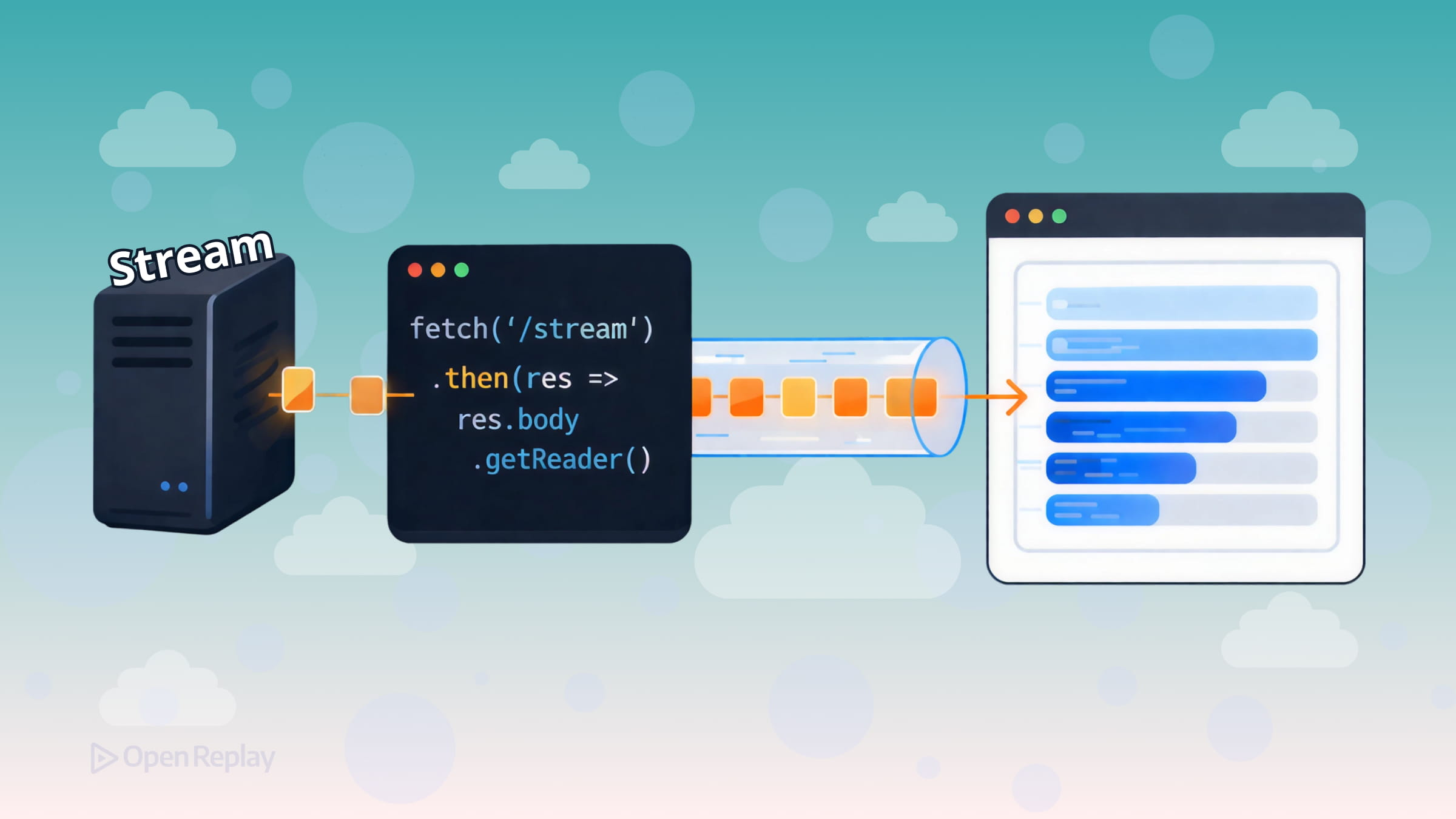
Most Fetch API tutorials show you the same pattern: call fetch(), await the response, call .json() or .text(), done. That works fine for small payloads. But when your server is generating data progressively—think AI responses, live logs, or large datasets—waiting for the entire response before touching a single byte is a real problem.
The good news: the Fetch API already supports incremental data streaming in the browser. Here’s how to use it.
Key Takeaways
- The Fetch API’s
response.bodyexposes aReadableStream, letting you process data chunk by chunk as it arrives rather than waiting for the full payload. - Use
response.body.getReader()with aTextDecoderfor the broadest browser compatibility when reading streamed responses. - Network chunks don’t respect message boundaries—you must buffer and split incomplete lines yourself when parsing structured formats like newline-delimited JSON.
- Always pair long-running streams with an
AbortControllerso you can cancel requests cleanly when users navigate away.
Why Streaming Responses with Fetch API Matters
When you call response.json() or response.text(), the browser must receive the entire response body before resolving the promise. For a 50MB log file or a slow AI completion endpoint, that means your application cannot process or render any of the response until the final byte arrives.
Streaming lets you process data as it arrives—displaying the first chunk to users while the rest is still in transit. That’s a meaningful improvement in perceived performance.
How the ReadableStream Fetch API Works
Every fetch() response exposes a ReadableStream on response.body. Instead of waiting for the full payload, you attach a reader and pull chunks as they come off the network.
The most broadly compatible approach is response.body.getReader():
const response = await fetch('/api/stream')

if (!response.ok) {
  throw new Error(`HTTP error: ${response.status}`)
}

const reader = response.body.getReader()
const decoder = new TextDecoder()

while (true) {
  const { value, done } = await reader.read()
  if (done) break
  console.log(decoder.decode(value, { stream: true }))
}
Each value is a Uint8Array of raw bytes. TextDecoder converts those bytes to a string. Pass { stream: true } so the decoder correctly handles multi-byte characters that might be split across chunk boundaries.
Note on async iteration: You may have seen
for await (const chunk of response.body). This syntax is cleaner but isn’t supported in Safari as of version 18.x, so thegetReader()loop above is the safer choice for production. See current browser support at https://caniuse.com/wf-async-iterable-streams.
Decoding Text Streams with TextDecoderStream
If you prefer a pipeline-style approach, TextDecoderStream handles decoding automatically:
const response = await fetch('/api/stream')
const reader = response.body
  .pipeThrough(new TextDecoderStream())
  .getReader()

while (true) {
  const { value, done } = await reader.read()
  if (done) break
  console.log(value) // already a string
}
This is cleaner when chaining multiple transform steps.

Discover how at OpenReplay.com.
Practical Considerations for Browser Streaming with Fetch
Chunk boundaries are arbitrary. Network chunks don’t align with lines or messages. If you’re parsing newline-delimited JSON or SSE events, you need to buffer incomplete lines and split on \n yourself.
Streams can only be consumed once. Attaching a reader with getReader() locks the stream to that reader, and once any data has been read the body becomes disturbed and can’t be consumed again. If you need the body in two places, call response.clone() before reading:
const response = await fetch('/api/data')
const clone = response.clone()

// Read the original as a stream
const reader = response.body.getReader()

// Use the clone normally elsewhere
const text = await clone.text()
Cancel streams with AbortController. Long-running streams should be cancellable—especially when users navigate away:
const controller = new AbortController()

const response = await fetch('/api/stream', {
  signal: controller.signal
})

// Cancel when needed
controller.abort()
This prevents the browser from continuing to receive data nobody is reading.
Conclusion
Browser streaming with Fetch is well-supported and practical today. The core pattern is straightforward: get a reader from response.body, loop with reader.read(), decode bytes with TextDecoder, and handle chunk boundaries in your own buffer. Add an AbortController for cleanup, and be mindful that response bodies can only be consumed once when you need the data in multiple places. That’s everything you need to build responsive, incremental data experiences in the browser.
FAQs
Fetch streaming works with any HTTP method that returns a response body, including POST, PUT, and PATCH. The ReadableStream on response.body behaves identically regardless of the method used. The server just needs to send a chunked or streaming response for incremental reading to be meaningful.
You need to maintain a string buffer. Append each decoded chunk to the buffer, then split on newline characters. Process every complete line as JSON, and keep the trailing incomplete segment in the buffer for the next chunk. This accounts for the fact that network chunks can split a JSON object across two reads.
Yes. You can consume an SSE endpoint via Fetch streaming by manually parsing the text/event-stream format from the chunks. This gives you more control over headers, authentication, and request methods compared to the EventSource API, which only supports GET requests and offers limited header customization.
If the connection drops or the stream errors, the promise returned by reader.read() will reject. Wrap your read loop in a try-catch block so your application can handle the failure gracefully, notify the user, or retry the request if appropriate.
Complete picture for complete understanding
Capture every clue your frontend is leaving so you can instantly get to the root cause of any issue with OpenReplay — the open-source session replay tool for developers. Self-host it in minutes, and have complete control over your customer data.
Check our GitHub repo and join the thousands of developers in our community.
