Build a Desktop File Manager with Electron
Build a secure Electron file manager with a sandboxed renderer, preload IPC bridge, and main-process file handlers for browsing, opening, renaming, and trashing files.

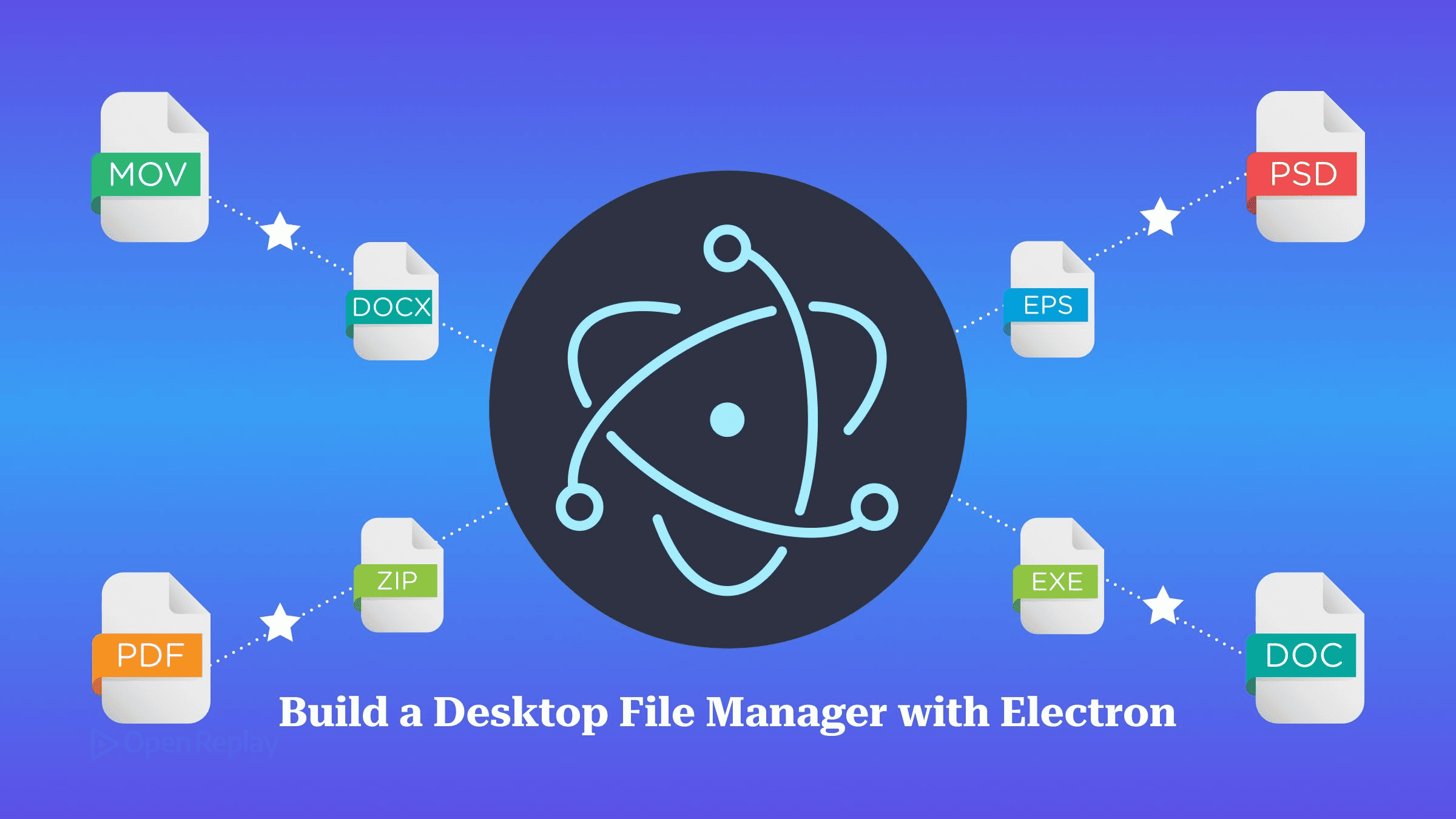
An Electron file manager splits the work across three processes. The main process runs every file-system and shell operation, the preload script exposes a few named functions, and the renderer only draws the list and calls those functions.
Most file-manager tutorials you find for Electron date from 2016 to 2021. They turn on nodeIntegration, call require('fs') from the page, and reach for remote. Code written that way either breaks on current Electron or leaves a security hole open. This guide builds a working file browser using the current model: a sandboxed renderer, a narrow preload bridge, and main-process handlers that check every path they are given. If you haven’t built an Electron app before, read Building Desktop Apps with Electron first.
Key Takeaways
- The
shellmodule does not work in a sandboxed renderer, soshell.openPathandshell.trashItemhave to run in the main process behind anipcMain.handlechannel. shell.openPathdoesn’t reject on failure. It resolves with an error message, and only an empty string means the file opened.- Node’s
fs.renameoverwrites an existing destination, so check that the target name is free before you rename. - Each preload function should wrap exactly one IPC channel. A generic
invoke(channel, ...args)lets any script in the page call every handler you register. - Treat every path the renderer sends as untrusted. Resolve it in main, compare it against the folder the user picked, and refuse anything outside that folder.
What You’ll Build: An Electron File Manager
The app does five things: lists a folder, opens subfolders and files, shows each entry’s size and modified date, renames entries, and moves them to the trash. The table shows where each operation runs.
| Feature | Runs in | API | IPC channel |
|---|---|---|---|
| Pick root folder | Main | dialog.showOpenDialog | dialog:pickFolder |
| List folder | Main | fs.readdir + fs.stat | fs:list |
| Open subfolder | Renderer → Main | fs:list again | fs:list |
| Open file | Main | shell.openPath | shell:open |
| Rename | Main | fs.rename | fs:rename |
| Move to trash | Main | shell.trashItem | shell:trash |
Project Setup and Secure webPreferences
Scaffold the project with Electron Forge’s Vite template:
npx create-electron-app@latest my-app --template=viteForge labels its Vite support experimental. If you want the more conservative option, use --template=webpack.
According to the Electron security checklist, Node integration has been off by default since Electron 5, context isolation on since 12, and the sandbox on since 20. Set all three explicitly anyway, so nobody reading the code has to remember the defaults:
mainWindow = new BrowserWindow({
  width: 960,
  height: 640,
  webPreferences: {
    preload: path.join(__dirname, 'preload.cjs'),
    contextIsolation: true, // preload and page get separate JS worlds
    nodeIntegration: false, // no require() in the page
    sandbox: true,          // renderer runs under Chromium's sandbox
  },
});
// keep the template's existing loadURL / loadFile lines below this
Forge 8’s Vite template builds the preload script as preload.cjs. If your generated main.js uses a different filename, keep the one it already has.
Turning off context isolation also turns off the renderer sandbox, whatever the sandbox option says. A sandboxed preload can only require('electron') (or electron/renderer / electron/common). Process Sandboxing rules out Node built-ins, Buffer and local files, so the preload has to be a single file or bundled into one.
Main Process: File-System and Shell Handlers
In an Electron file manager, all privileged work happens in the main process, in src/main.js. The shell module can be used in a renderer, but it won’t function in a sandboxed one. That means opening and trashing files go through IPC as well.
const { app, BrowserWindow, ipcMain, dialog, shell } = require('electron');
const path = require('node:path');
const fs = require('node:fs/promises');

let mainWindow = null;
let rootDir = null; // set only by the folder picker

function assertSender(event) {
  if (BrowserWindow.fromWebContents(event.sender) !== mainWindow) {
    throw new Error('Untrusted sender');
  }
}

function insideRoot(target) {
  const rel = path.relative(rootDir, target);
  return rel === '' ||
    (rel !== '..' && !rel.startsWith('..' + path.sep) && !path.isAbsolute(rel));
}

async function resolveInRoot(p) {
  if (!rootDir) throw new Error('Pick a folder first');
  const abs = await fs.realpath(path.resolve(String(p)));
  if (!insideRoot(abs)) throw new Error('Path is outside the chosen folder');
  return abs;
}

// Realpath the parent only, so rename/trash act on a symlink, not its target
async function resolveEntry(p) {
  const abs = path.resolve(String(p));
  const parent = await resolveInRoot(path.dirname(abs));
  return path.join(parent, path.basename(abs));
}

function handle(channel, fn) {
  ipcMain.handle(channel, async (event, ...args) => {
    assertSender(event);
    return fn(...args);
  });
}

handle('fs:list', async (dir) => {
  const abs = await resolveInRoot(dir ?? rootDir);
  const dirents = await fs.readdir(abs, { withFileTypes: true });
  const settled = await Promise.allSettled(dirents.map(async (d) => {
    const full = path.join(abs, d.name);
    const st = await fs.stat(full);
    return { name: d.name, path: full, isDir: st.isDirectory(),
             isLink: d.isSymbolicLink(), size: st.size, mtimeMs: st.mtimeMs };
  }));
  const entries = settled.filter((r) => r.status === 'fulfilled').map((r) => r.value)
    .sort((a, b) => (b.isDir - a.isDir) || a.name.localeCompare(b.name));
  return { dir: abs, entries };
});

handle('fs:rename', async (target, newName) => {
  const name = String(newName).trim();
  if (!name || name === '.' || name === '..' || name.includes('/') || name.includes(path.sep)) {
    throw new Error('Invalid file name');
  }
  const src = await resolveEntry(target);
  const dest = path.join(path.dirname(src), name);
  if (!insideRoot(dest)) throw new Error('Path is outside the chosen folder');
  const taken = await fs.access(dest).then(() => true, () => false);
  if (taken) throw new Error(`"${name}" already exists`);
  await fs.rename(src, dest);
});

handle('shell:open', async (target) => {
  const err = await shell.openPath(await resolveInRoot(target));
  if (err) throw new Error(err);
});

handle('shell:trash', async (target) => {
  const abs = await resolveEntry(target);
  if (abs === rootDir) throw new Error('Cannot trash the root folder');
  await shell.trashItem(path.resolve(abs));
});
Here is what each part of the main-process code does:
- Listing.
fs.readdirwithwithFileTypesreturnsDirentobjects.fs.statadds the size and modification time.Promise.allSettledstops a single broken symlink from failing the whole listing. - Plain objects only. Each entry is mapped to plain data because IPC uses the Structured Clone algorithm, and an
fs.Statsinstance would lose its methods on the way across. - Rename. Node’s
fs.renamesilently replacesnewPathif it already exists, which is why the handler checks first. There is a small window between the check and the rename, which is acceptable for a desktop tool. - Open.
shell.openPathresolves with the error message if the open failed, and with an empty string otherwise. The handler converts a non-empty string into a thrown error. - Trash.
shell.trashItemmoves the item to the platform’s trash instead of deleting it permanently. It rejects if there was an error while deleting the requested item. Theshelldocs require native separators, which is why the path goes throughpath.resolve().
Preload: A Small Named API
The preload script exposes five named functions to the renderer and nothing else. Older tutorials did it like this. Don’t:
// Outdated pattern. Never ship this.
webPreferences: { nodeIntegration: true, contextIsolation: false }
const fs = require('fs'); // in the page
Here is the current pattern, in src/preload.js:
const { contextBridge, ipcRenderer } = require('electron');

contextBridge.exposeInMainWorld('electronAPI', {
  listDir: (dir) => ipcRenderer.invoke('fs:list', dir),
  pickFolder: () => ipcRenderer.invoke('dialog:pickFolder'),
  openPath: (p) => ipcRenderer.invoke('shell:open', p),
  rename: (p, newName) => ipcRenderer.invoke('fs:rename', p, newName),
  trash: (p) => ipcRenderer.invoke('shell:trash', p),
});
Each preload function has its IPC channel name hard-coded. Never write invoke: (...a) => ipcRenderer.invoke(...a), because it gives the page access to every handler you register. Also note that when a handler registered with ipcMain.handle throws, the renderer only gets the error’s message. Write messages a user can read. If an IPC call hangs or fails without explanation, Debugging and Troubleshooting Common Electron Issues explains how to tell main-process faults from renderer faults.
Renderer: List, Open, Rename, Trash
The renderer only touches the DOM and window.electronAPI. File names can contain markup, so set them with textContent and never with innerHTML.
First, give the page something to render into. Replace the <body> of the template’s index.html with this markup, keeping the template’s <script> tag for src/renderer.js:
<body>
  <header>
    <button id="pick">Choose folder</button>
    <button id="up">Up</button>
    <span id="status" role="status"></span>
  </header>
  <ul id="list"></ul>
  <dialog id="rename-dialog">
    <form method="dialog">
      <label>New name <input id="rename-input" required></label>
      <button value="cancel" formnovalidate>Cancel</button>
      <button value="ok">Rename</button>
    </form>
  </dialog>
  <script type="module" src="/src/renderer.js"></script>
</body>
Electron doesn’t implement window.prompt(), so the rename box is a <dialog>. Then replace the contents of src/renderer.js:
const api = window.electronAPI;
const list = document.querySelector('#list');
const status = document.querySelector('#status');
const renameDialog = document.querySelector('#rename-dialog');
const renameInput = document.querySelector('#rename-input');
let cwd = null;

function askName(current) {
  renameInput.value = current;
  renameDialog.returnValue = '';
  renameDialog.showModal();
  return new Promise((resolve) => {
    renameDialog.addEventListener('close', () =>
      resolve(renameDialog.returnValue === 'ok' ? renameInput.value : null), { once: true });
  });
}

const fmtSize = (n) => {
  const u = ['B', 'KB', 'MB', 'GB', 'TB']; let i = 0;
  while (n >= 1024 && i < u.length - 1) { n /= 1024; i++; }
  return `${n.toFixed(i ? 1 : 0)} ${u[i]}`;
};

async function run(fn) {
  try { status.textContent = ''; await fn(); }
  catch (err) { status.textContent = err.message; }
}

async function load(dir) {
  const res = await api.listDir(dir);
  cwd = res.dir;
  list.replaceChildren(...res.entries.map(row));
}

function button(label, onClick) {
  const b = document.createElement('button');
  b.textContent = label;
  b.addEventListener('click', (e) => { e.stopPropagation(); run(onClick); });
  return b;
}

function row(entry) {
  const li = document.createElement('li');
  const cells = [entry.isDir ? `${entry.name}/` : entry.name,
    entry.isDir ? '' : fmtSize(entry.size),
    new Date(entry.mtimeMs).toLocaleString()];
  for (const text of cells) {
    const span = document.createElement('span');
    span.textContent = text;
    li.append(span);
  }
  li.append(
    button('Rename', async () => {
      const name = await askName(entry.name);
      if (name && name !== entry.name) { await api.rename(entry.path, name); await load(cwd); }
    }),
    button('Trash', async () => {
      if (confirm(`Move "${entry.name}" to the trash?`)) { await api.trash(entry.path); await load(cwd); }
    }),
  );
  li.addEventListener('dblclick', () =>
    run(() => (entry.isDir ? load(entry.path) : api.openPath(entry.path))));
  return li;
}

document.querySelector('#up').addEventListener('click', () => run(() => load(`${cwd}/..`)));
Double-clicking a folder lists its contents. Double-clicking a file passes it to the OS. The Up button sends cwd/... Once you reach the root, main refuses the request and the status line displays the error.
Folder Picker With dialog.showOpenDialog
The root folder comes only from a native dialog in main, and it is stored only in main. The renderer never sends a root. It sends paths, and main checks them against the root it already holds. Add this handler to main.js:
handle('dialog:pickFolder', async () => {
  const { canceled, filePaths } = await dialog.showOpenDialog(mainWindow, {
    properties: ['openDirectory'],
  });
  if (canceled) return null;
  rootDir = await fs.realpath(filePaths[0]);
  return rootDir;
});
In the dialog API, the openDirectory property is what allows directories to be selected. Passing the window as the first argument attaches the dialog to it as a parent, which makes the dialog modal. The root is passed through realpath once here. That way, a symlink inside the folder that points somewhere else resolves outside the root and fails insideRoot.
Connect the picker in the renderer:
document.querySelector('#pick').addEventListener('click', () => run(async () => {
  const dir = await api.pickFolder();
  if (dir) await load(dir);
}));
Hardening: Paths, Senders, and CSP
Three controls make this Electron file browser safe to build on:
- Path containment. Every handler passes renderer input through
resolveInRootorresolveEntry. Both resolve symlinks and usepath.relativeto reject anything that climbs out of the root or lands on another Windows drive. - Sender validation. The security checklist says to validate the sender of IPC messages, because any frame can send them.
assertSenderaccepts calls only frommainWindow’swebContents. - Content Security Policy. A page loaded from
file://can’t receive CSP as an HTTP header, so add a meta tag toindex.html:
<meta http-equiv="Content-Security-Policy" content="default-src 'self'; script-src 'self'">Optionally, block navigation and new windows in main:
mainWindow.webContents.on('will-navigate', (e) => e.preventDefault());
mainWindow.webContents.setWindowOpenHandler(() => ({ action: 'deny' }));
Conclusion
You now have a secure Electron file manager. Main owns the file system and the root folder, the preload exposes five fixed functions, and the renderer can’t reach anything you didn’t hand it. Extend it the same way every time: one new handler in main, one new function in the preload, and the same path and sender checks on each. When you’re ready to ship, follow Packaging and Distributing Electron Apps. If Electron’s footprint is a concern for this kind of tool, see Comparing Electron and Tauri for Desktop Applications.
FAQs
Why does prompt() throw an error in an Electron renderer?
Electron does not implement window.prompt(), so calling it throws an error instead of opening a dialog. The alert() and confirm() functions do work in Electron. To ask for a new file name, use an in-page text input or an HTML dialog element. You can also open a small modal BrowserWindow from the main process and send the entered value back over IPC.
How do I get the real path of a file dropped onto an Electron window?
Call webUtils.getPathForFile(file) in the preload script and expose it through contextBridge. Electron 32 removed the nonstandard File.path property from the Web File object, so code that reads file.path no longer gets a path. Send the returned path to a main-process handler and give it the same root-folder check as any other renderer input.
How can the file list refresh automatically when files change on disk?
Watch the folder being listed with fs.watch in the main process, and push a notification to the page with mainWindow.webContents.send. In the preload, wrap ipcRenderer.on so it calls the renderer's callback without the event object, because passing the event along exposes ipcRenderer to the page. Treat each event only as a signal to run fs:list again. Node reports just 'rename' and 'change', and the filename can be null.
Gain Debugging Superpowers
Unleash the power of session replay to reproduce bugs, track slowdowns and uncover frustrations in your app. Get complete visibility into your frontend with OpenReplay — the most advanced open-source session replay tool for developers.
Star on GitHub12k