Building Cross-Framework Developer Tools with Devframe
Build cross-framework developer tools with Devframe: define a tool once, then mount its standard request handler and WebSocket in Vite, Hono, Next.js, and more.

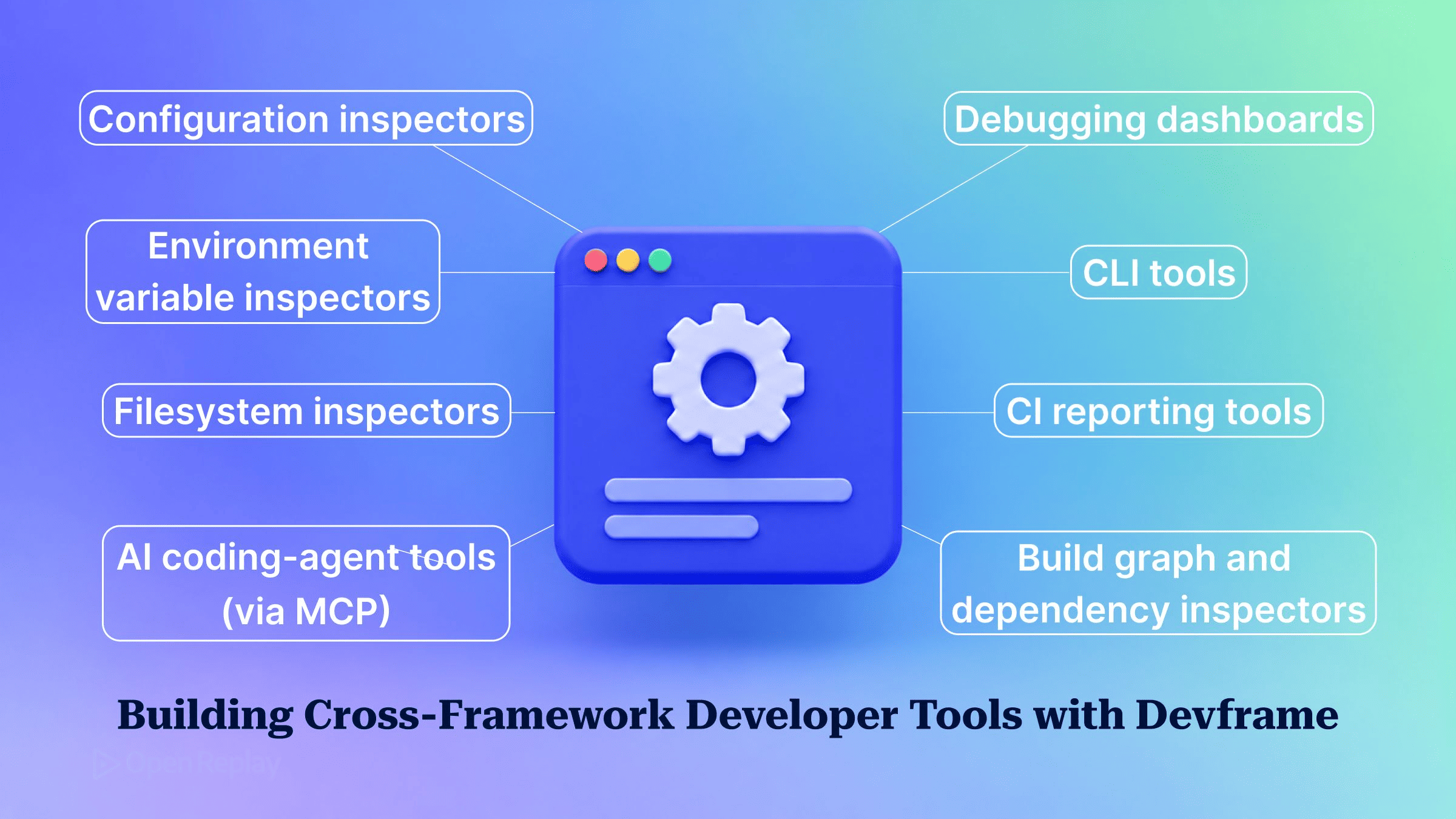
Devframe is an MIT-licensed, framework-neutral foundation for developer tools: you describe a tool once with defineDevframe(), and initDevframe() turns that definition into a Web Standard request handler that any compatible host can mount.
If you maintain a library, you have probably wanted an inspector panel for it, something along the lines of the React Developer Tools but for your own internals. Then the support matrix arrives: a Vite plugin, a Next.js route, Hono middleware, and every one of them needs its own server glue.
This article builds a small Devframe tool, turns it into a handler, mounts the same definition in Vite and in Hono, and then lays out the remaining hosts and packaged adapters. It closes with the cases where a browser extension is the simpler choice.
Key Takeaways
defineDevframe()fromdevframedescribes a tool once.initDevframe(def, { base })fromdevframe/initiateturns it into a running instance that exposeshandlerandnodeMiddleware.- Hono, Nitro, Next.js and SvelteKit mount
devtools.handler, which takes a Web StandardRequestand returns aResponse. Vite and Rsbuild mountdevtools.nodeMiddleware. - A running devframe opens no port of its own. The host decides where the RPC WebSocket lives: a shared server,
attach(), orws: { sidecar: true }. - Devframe gates access by default.
auth: falseis only appropriate for a single user on localhost. - Next.js and SvelteKit serve
/__my-tool/from a route folder named%5F_my-tool, and both need a side-car WebSocket.
What Problem Does Devframe Solve?
Devframe solves the one-plugin-per-framework problem: without a shared layer, every devtool has to ship a separate integration for each host framework. Devframe removes that duplication by putting a single standard handler between the tool and its environment. The v1.0 announcement treats the handler as the edge of the tool. The UI, connection details, live RPC, auth and an optional MCP endpoint all sit behind it, under a single path prefix.
Because the handler deals only in Request and Response, the tool no longer depends on any one dev server’s API. The v1.0 release stabilized the public interface, and the source lives in the devframes/devframe repository under the MIT licence.
How Do You Define a Devframe Tool?
A Devframe definition is a plain object returned by defineDevframe(). It names the tool and registers its RPC functions inside setup(ctx). The example tool lists environment variable names and never their values.
Install instructions are in the Devframe docs. Start with the definition:
// my-tool.ts
import { defineDevframe } from 'devframe'
import { listEnvNames } from './rpc'

export default defineDevframe({
  id: 'my-tool',
  name: 'Env Names',
  // Required metadata and the browser entry are omitted here.
  // See the Devframe docs for the full definition.
  setup(ctx) {
    ctx.scope('my-tool').rpc.register(listEnvNames)
  },
})
In rpc.ts, export listEnvNames as an RPC function whose handler returns Object.keys(process.env).sort(). The wrapper shape and its options are covered in the Devframe definition guide. That guide also lists the fields a complete definition needs: id, name, version, packageName, homepage, description and setup are required, and you should also pass importMetaUrl: import.meta.url. It explains that a scoped context namespaces RPC ids with the devframe id as well.
Returning names only is a deliberate data-exposure choice. The auth gate protects the panel, but a function that never reads values cannot leak them, whoever ends up opening the panel.
Turn the Definition Into a Handler
initDevframe() converts a definition into a live instance whose handler serves the whole tool under one base path. Pass the definition and a base:
// devtools.ts
import { initDevframe } from 'devframe/initiate'
import myDevframe from './my-tool'

export const devtools = initDevframe(myDevframe, { base: '/__my-tool/' })
The Standard Handler docs explain that one mount base covers the whole tool: the handler serves the SPA, the __connection.json discovery file, the RPC socket, the auth gate and the MCP route. The base option is required. Both handler and nodeMiddleware wait for readiness internally, so you can mount them straight away. The instance also exposes attach, handleUpgrade and close() for controlling the socket and its lifecycle.
Mount It in Vite
To mount a Devframe tool in Vite, use devtools.nodeMiddleware from a configureServer hook, because Vite speaks Connect-style middleware. Create the instance inside the hook so it can share Vite’s HTTP server:
// vite.config.ts
import { defineConfig } from 'vite'
import { initDevframe } from 'devframe/initiate'
import myDevframe from './my-tool'

export default defineConfig({
  plugins: [
    {
      name: 'my-tool',
      apply: 'serve',
      configureServer(server) {
        const devtools = initDevframe(myDevframe, {
          base: '/__my-tool/',
          server: server.httpServer ?? undefined,
        })
        server.middlewares.use(devtools.nodeMiddleware)
      },
    },
  ],
})
apply: 'serve' keeps the panel out of production builds. The server option places the RPC WebSocket on Vite’s own HTTP server, so no extra port is opened. Rsbuild takes nodeMiddleware in the same way, but its handlers never see upgrade requests, so it needs ws: { sidecar: true } for the socket.
Mount the Same Tool in Hono
Hono handles Web Standard requests natively, so pass the raw request to devtools.handler and attach the WebSocket to the Node server. This reuses the devtools.ts module from earlier. Only the glue code changes:
// server.ts
import { serve } from '@hono/node-server'
import { Hono } from 'hono'
import { devtools } from './devtools'

const app = new Hono()

app.all('/__my-tool/*', c => devtools.handler(c.req.raw))

devtools.attach(serve({ fetch: app.fetch, port: 3000 }))
The app.all catch-all is an ordinary route, the same scoping idea used when writing your own Hono middleware. c.req.raw is the underlying Web Standard Request. A fetch handler only ever sees individual requests, and a running devframe binds no port, so attach() hands the Node server’s upgrade events to the devframe socket. Without that call the UI loads but live RPC has no connection.
Other Hosts and Packaged Adapters
Every Devframe host follows one rule: Web Standard hosts mount handler, Connect-style dev servers mount nodeMiddleware, and hosts whose route handlers never receive upgrade requests use a side-car WebSocket.
| Host | Mount | Route / file | WebSocket |
|---|---|---|---|
| Vite | nodeMiddleware via server.middlewares.use | configureServer plugin | server: server.httpServer |
| Hono | handler(c.req.raw) | app.all('/__my-tool/*', …) | devtools.attach(serve(...)) |
| Nitro | handler(event.req) | routes/__my-tool/[...path].ts plus routes/__my-tool/index.ts | ws: { sidecar: true } |
| Next.js | export const GET = devtools.handler | app/%5F_my-tool/[[...path]]/route.ts | ws: { sidecar: true } |
| SvelteKit | GET = ({ request }) => devtools.handler(request) | src/routes/%5F_my-tool/[...path]/+server.ts | ws: { sidecar: true } |
Next.js treats folders that start with an underscore as private. A route served at /__my-tool/ therefore lives in a folder named %5F_my-tool, which decodes back to __my-tool. Hosts that reload modules during development, such as Next.js, Nitro and SvelteKit, should memoize the instance on globalThis so each reload doesn’t create a new devframe. The initiate page shows that memo typed as ReturnType<typeof initDevframe>.
The same definition can also be packaged without a host. All of these are listed on the adapters index:
- Standalone CLI:
createCac()fromdevframe/adapters/cac. It requires the optionalcacpeer. - Dev server:
createDevServer()fromdevframe/adapters/dev. - Static build:
createBuild()fromdevframe/adapters/build, for snapshot reports. - MCP server:
createMcpServer()fromdevframe/adapters/mcp, for coding agents. RPC functions are private to agents unless they opt in.
Working reference projects for several hosts are in the repo’s examples/ folder.
Keep the Auth Gate On
Devframe gates access by default. When a browser that hasn’t been authorized asks for access, the terminal prints a code and a magic link. Devframe never derives the magic-link origin from a raw Host header or forwarded headers, so any deployment that isn’t on loopback has to set origin explicitly. auth: false exists, but it is only appropriate for a single user on localhost.
When Is Devframe Worth It, and When Is an Extension Simpler?
Devframe pays off when a tool needs server-side state and has to run in more than one host. If the tool only inspects the page in one framework, a browser extension is the smaller build.
Choose Devframe when:
- the tool reads node-side state, such as the build graph, config, process environment or filesystem;
- the library is used across several frameworks or dev servers;
- you want the same tool to ship as a CLI, a static CI report or an MCP server.
Choose a browser extension when:
- the tool only inspects what is already in the page, such as the DOM or a client-side store;
- it targets a single framework’s runtime;
- there is no server-side data to fetch.
Conclusion
With Devframe, cross-framework support comes down to a few lines of mount code per host. You write the tool once as a definition, initDevframe() turns it into a standard handler, and each host connects that handler to its router and its WebSocket. Next, finish the definition with the required metadata and a browser entry from the Devframe definition guide, then mount it in the host your users run most and add the others from the table.
FAQs
How do I expose a Devframe RPC function to a coding agent?
Add an agent field with a description to defineRpcFunction, for example agent: { description: 'Returns a summary' }. The agent field switches on strict JSON serialization, because MCP only accepts JSON-shaped data, and combining it with jsonSerializable: false throws error DF0019. Serve the definition with createMcpServer(devframe, { transport: 'stdio' }) from devframe/adapters/mcp, which needs the optional @devframes/agentic peer. Functions without an agent field stay internal RPC only.
Can I use Devframe without Vite or in a CommonJS project?
Yes. Devframe has no Vite dependency, so it runs in any Web Standard host such as Hono, or as a standalone tool through createDevServer or createCac. It ships ESM-only, so a CommonJS codebase has to load it with ESM imports or a dynamic import() call. If you use the CLI adapter without installing its optional cac peer, the error appears at import time.
Which RPC function types does Devframe support besides static?
Devframe RPC functions use one of four types: query, static, action and event. Only static and query functions can carry a dump field for pre-computed results. Adding dump to an action or event function throws a validation error. Arguments declared in args are checked against any Standard Schema validator, such as Valibot, before the handler runs.
Gain Debugging Superpowers
Unleash the power of session replay to reproduce bugs, track slowdowns and uncover frustrations in your app. Get complete visibility into your frontend with OpenReplay — the most advanced open-source session replay tool for developers.
Star on GitHub12k