How to Poll an API Without Hammering Your Server
Build a production-safe API poller with one request at a time, cancellation, jittered backoff, Retry-After handling, hidden-tab pausing, and ETag caching.

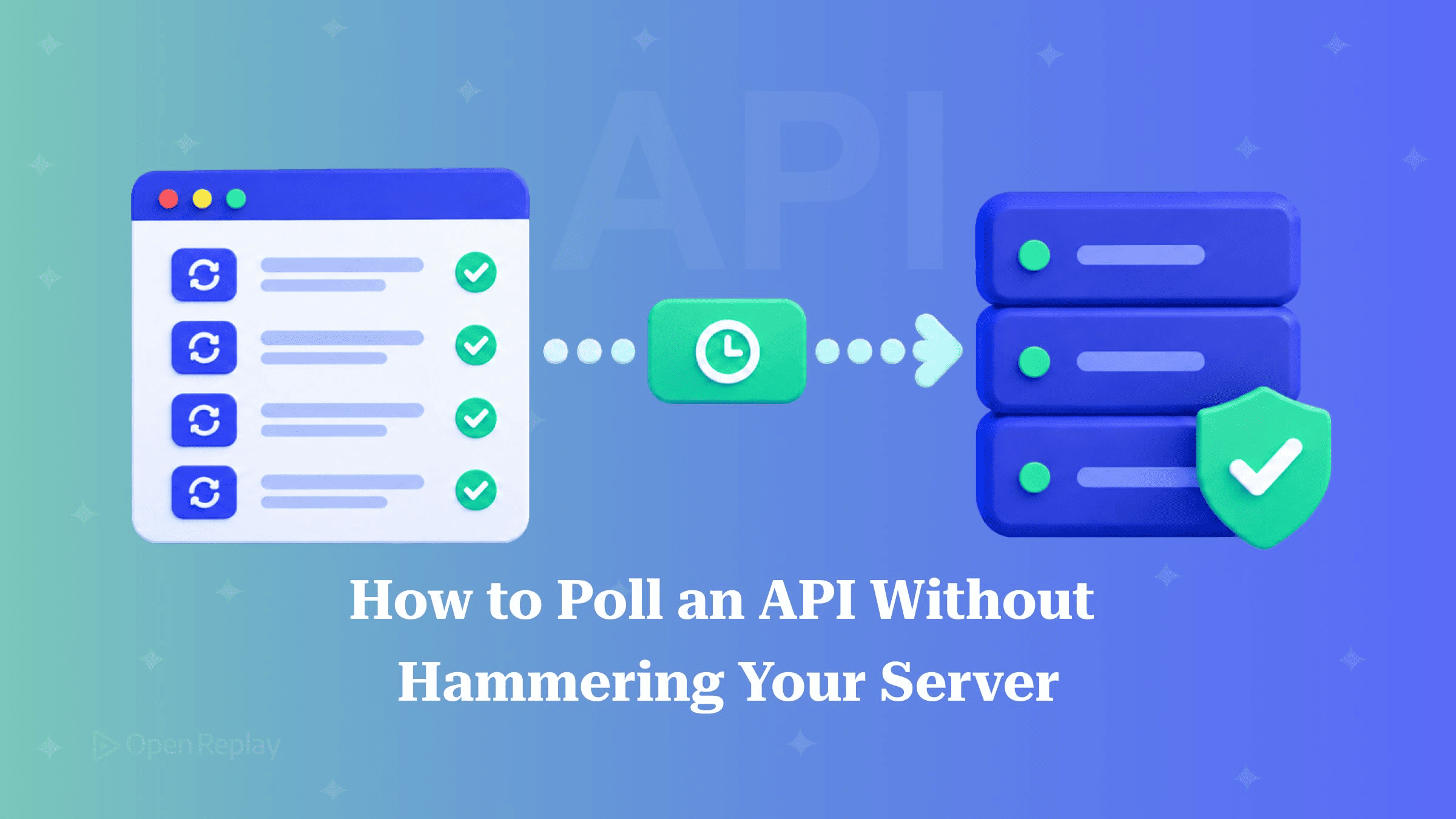
A production-safe API poller sends the next request only after the previous response has been handled, stops when the job reaches a terminal state, backs off with jitter when requests fail, follows Retry-After on 429 and 503, does nothing while the tab is hidden, and uses ETags so unchanged data comes back as an empty 304.
Most pollers start as setInterval plus fetch. That version keeps working until the endpoint slows down, the API starts returning 429s, or someone leaves a tab open over the weekend and it is still sending requests on Monday.
If your server can push updates, you may not need polling at all. Compare WebSockets, SSE and long polling, or consider webhooks instead of polling for server-to-server flows. If polling is the right tool, this article builds a dependency-free poller one fix at a time. Each section shows the broken version first, then the fix.
Key Takeaways
- Chaining
setTimeoutafter each response means only one request is ever in flight, whichsetIntervalcannot guarantee. - Full jitter sets each retry delay to
random(0, min(cap, base * 2 ** attempt)), so retrying clients spread out instead of arriving at a recovering server all at once. Retry-Aftercomes in two forms, delay-seconds or an HTTP date, and a poller has to parse both and fall back to backoff when the header is missing or can’t be parsed.- Browsers throttle timers in background tabs, but throttling only slows a poller down. Checking
document.hiddenis what actually stops it. - Sending the last
ETaginIf-None-Matchlets the server answer304 Not Modifiedwith no body when nothing has changed.
What Are the Four Common API Polling Mistakes?
Naive API polling usually fails in four ways: requests overlap, polling never stops, failures make the poller hit the server harder, and hidden tabs keep polling. All four are present in this snippet:
setInterval(async () => {
  const res = await fetch('/api/jobs/42');
  render(await res.json());
}, 2000); // overlaps when slow, never stops, ignores errors and hidden tabs- Overlap.
setIntervalfires on a fixed clock, not after the previous response arrives. When the endpoint takes longer than the interval, requests pile up on top of each other. - No exit. Nothing stops the loop after the job finishes, so it keeps fetching a result that will never change.
- No backoff. When the server returns 500s, every client keeps retrying at full speed, which adds load at the moment the server can least handle it.
- Hidden tabs. A tab nobody is looking at keeps polling.
How Do You Chain setTimeout and Stop on a Done Condition?
If you schedule the next poll only after the current response has been handled, there is never more than one request in flight. An async loop with a sleep between iterations does this, and it exits as soon as the job reaches a terminal state:
const sleep = (ms) => new Promise((r) => setTimeout(r, ms));

async function pollJob(url, isDone, interval = 2000) {
  while (true) {
    const res = await fetch(url);
    const data = await res.json();
    render(data);
    if (isDone(data)) return data;
    await sleep(interval);
  }
}

pollJob('/api/jobs/42', (job) => job.status === 'done' || job.status === 'failed');
The done condition must cover terminal failures as well as success. If you only check for 'done', a job that ends in 'failed' gets polled forever.
How Do You Cancel a Poller with AbortController?
Cancelling a poller means stopping two things: the request that is in flight and the timer that is waiting. An AbortController signal passed to fetch handles the request, but it does nothing to a setTimeout already queued. The sleep has to listen for the signal too:
function sleep(ms, signal) {
  return new Promise((resolve, reject) => {
    if (signal?.aborted) return reject(signal.reason);
    const onAbort = () => {
      clearTimeout(id);
      reject(signal.reason);
    };
    const id = setTimeout(() => {
      signal?.removeEventListener('abort', onAbort);
      resolve();
    }, ms);
    signal?.addEventListener('abort', onAbort, { once: true });
  });
}
Calling controller.abort() rejects whichever of the two is pending, whether that’s the fetch or the sleep, and the loop exits. The abort listener is removed when the timer fires, so a long-running poll that reuses one signal doesn’t add a new listener on every iteration.
How Do You Back Off Exponentially with Jitter and a Cap?
When a request fails, wait random(0, min(cap, base * 2 ** attempt)) before trying again. This is the “full jitter” strategy from AWS’s Exponential Backoff and Jitter analysis. Capped exponential backoff without randomness still leaves clients retrying in synchronized clusters. Choosing each delay at random between zero and the exponential ceiling breaks those clusters up.
const backoff = (attempt, base = 1000, cap = 30000) =>
  Math.random() * Math.min(cap, base * 2 ** attempt);
That one-line backoff function matches the full-jitter function in AWS’s backoff simulator source. In AWS’s 2015 simulation of 100 clients contending for the same resource, adding jitter cut the total number of calls by more than half. Note that the simulation modeled write contention, not read polling, so treat the figure as AWS’s result for that scenario.
In the loop, increment attempt after each failure and reset it to 0 after any success. Without the reset, a single blip early on leaves every later failure starting from a long delay. Server-side workers face the same retry problem, and job queues handle it with similar retry policies.
How Should a Poller Handle 429, 503 and Retry-After?
When the server sends a 429 or 503 response with a Retry-After header, wait as long as the header says. Your own backoff is the fallback for when the header is missing. The Retry-After header takes one of two forms: a whole number of seconds to wait after the response arrives, or an HTTP date after which you can retry. RFC 9110 defines both forms, and MDN covers its use with 429 Too Many Requests.
const MAX_RETRY_AFTER = 5 * 60_000; // design choice, not a spec rule

function retryAfterMs(res) {
  const value = res.headers.get('Retry-After');
  if (!value) return null;
  if (/^\d+$/.test(value.trim())) return Math.min(Number(value) * 1000, MAX_RETRY_AFTER);
  const date = Date.parse(value);
  if (Number.isNaN(date)) return null;
  return Math.min(Math.max(0, date - Date.now()), MAX_RETRY_AFTER);
}
The date form is compared against the client clock. If the clocks disagree and the date is already in the past, the delay is clamped to zero. If Date.parse returns NaN, the function returns null and the caller uses backoff instead. The upper clamp prevents a misconfigured header from parking the poller for hours.
On cross-origin requests, JavaScript can only read Retry-After if the server lists it in Access-Control-Expose-Headers, because it is not a CORS-safelisted response header. If it isn’t exposed, res.headers.get() returns null and the poller falls back to plain backoff without any error.
How Do You Pause Polling When the Tab Is Hidden?
Browsers throttle timers in background tabs, but a throttled poller still sends requests, just less often. To actually stop it, check document.hidden and listen for visibilitychange, both part of the Page Visibility API. This helper resolves immediately when the page is visible and otherwise waits until it becomes visible:
function whenVisible(signal) {
  if (signal?.aborted) return Promise.reject(signal.reason);
  if (!document.hidden) return Promise.resolve();
  return new Promise((resolve, reject) => {
    const done = () => {
      document.removeEventListener('visibilitychange', onChange);
      signal?.removeEventListener('abort', onAbort);
    };
    const onChange = () => { if (!document.hidden) { done(); resolve(); } };
    const onAbort = () => { done(); reject(signal.reason); };
    document.addEventListener('visibilitychange', onChange);
    signal?.addEventListener('abort', onAbort, { once: true });
  });
}
If you await it at the top of each iteration, a hidden tab sends no requests, and the first request after the user comes back goes out immediately. One limitation: if a long backoff sleep is already running when the tab becomes visible, the poller waits for it to finish first.
Use ETags, Then Put It All Together
If you send the last ETag back in an If-None-Match header, the server can reply 304 Not Modified with no body when the resource hasn’t changed. Setting If-None-Match yourself while using the default cache mode makes the Fetch spec skip the HTTP cache, so your code receives the 304 directly and has to handle it. Two CORS details apply on cross-origin requests. The server must expose ETag. And because If-None-Match is not a CORS-safelisted request header, sending it triggers a preflight, so the server must also list it in Access-Control-Allow-Headers.
This table shows how the finished poller responds to each outcome (status code meanings are in the HTTP status codes reference linked above):
| Response | Poller action | Next delay |
|---|---|---|
| 200 | Update UI, check done, reset attempts | interval |
| 304 | No update, reset attempts | interval |
| 429 / 503 | Increment attempts | Retry-After, else backoff |
| Other 5xx / network error | Increment attempts | Backoff |
| Other 4xx | Throw and surface the error | None |
| Abort | Rethrow and exit | None |
The function below uses sleep, backoff, retryAfterMs and whenVisible from the earlier sections. The status branching sits outside the try/catch, so a 4xx is never mistaken for a network error and retried.
async function poll(url, { isDone = () => false, onUpdate, signal, interval = 2000, maxAttempts = 8 } = {}) {
  let etag = null;
  let attempt = 0;
  while (true) {
    await whenVisible(signal);
    let res = null;
    try {
      res = await fetch(url, { signal, headers: etag ? { 'If-None-Match': etag } : {} });
    } catch (err) {
      if (signal?.aborted) throw err; // otherwise: network error, res stays null
    }
    let wait = interval;
    if (res?.status === 304) {
      attempt = 0; // no body: never call res.json() here
    } else if (res?.ok) {
      attempt = 0;
      etag = res.headers.get('ETag'); // null if absent or not exposed
      const data = await res.json();
      onUpdate?.(data);
      if (isDone(data)) return data;
    } else if (!res || res.status === 429 || res.status >= 500) {
      if (++attempt > maxAttempts) throw new Error('Polling gave up');
      wait = (res && retryAfterMs(res)) ?? backoff(attempt);
    } else {
      throw new Error(`Polling failed: HTTP ${res.status}`);
    }
    await sleep(wait, signal);
  }
}
Because attempt is pre-incremented, the first retry already uses attempt = 1, which caps that delay at 2 seconds.
Wrapping It in a React Hook
import { useEffect, useState } from 'react';

function usePoll(url, isDone) {
  const [state, setState] = useState({ status: 'polling', data: null });
  useEffect(() => {
    const controller = new AbortController();
    poll(url, { isDone, signal: controller.signal, onUpdate: (data) => setState({ status: 'polling', data }) })
      .then((data) => setState({ status: 'done', data }))
      .catch((error) => { if (!controller.signal.aborted) setState({ status: 'error', error }); });
    return () => controller.abort();
  }, [url]);
  return state;
}
React runs effect cleanup on unmount and before re-running the effect when url changes, so the old poller is always aborted. Define isDone outside the component so it stays stable. The 'error' status is there so the UI can render a “We stopped checking. Retry?” state. Session replays of pollers that don’t surface their state often show a spinner that never resolves while the network requests underneath have stopped or keep failing.
Conclusion
A poller that doesn’t overload your server comes down to a few rules: one request at a time, a clear exit condition, jittered backoff that resets after a success, deference to Retry-After, no requests from hidden tabs, and conditional requests so unchanged data costs almost nothing. Replace your setInterval with the poll function above, then check that your server returns ETag and Retry-After and exposes both to cross-origin clients. Without that server-side support, the client code silently falls back to plain backoff and full responses.
FAQs
Does the poller pause when the user switches to another application window?
Not always. A page becomes hidden when its tab moves to the background, the browser window is minimized, or the OS screen lock activates. A page that stays partly visible on screen keeps its visibilityState as 'visible', and losing focus to another window does not hide it. In that case the poller keeps running. Listen for blur and focus events if you also want to pause when the window loses focus.
What is the difference between full jitter, equal jitter and decorrelated jitter?
Each one randomizes capped exponential backoff in a different way. Full jitter picks a delay between zero and min(cap, base * 2 ** attempt). Equal jitter keeps half of that ceiling fixed and randomizes the other half. Decorrelated jitter picks a delay between base and three times the previous delay, capped. In AWS's simulation, equal jitter was the weakest of the three jittered approaches, and full jitter did less work than decorrelated jitter but took slightly longer.
Can I use this poller in Node.js?
Yes, with one change. Node.js 18 and later provide a global fetch, which became stable in Node.js 21, and a global AbortController. Node.js has no document object, so whenVisible throws a ReferenceError. Add a typeof document check that resolves right away outside the browser. Backoff, Retry-After and ETag handling work unchanged. Node.js does not enforce CORS, so every response header is readable.
Why does fetch never return a 304 when I don't set If-None-Match myself?
The browser's HTTP cache handles revalidation internally. When a stored response needs revalidating, the browser adds the conditional headers itself. If the server answers 304, fetch gives your code the cached response with a 200 status and the full body, so you cannot tell the request was conditional. Setting If-None-Match manually is what makes the 304 visible to JavaScript.