How to Count Tokens and Estimate LLM API Costs
Count LLM tokens accurately and estimate API costs with OpenAI, Claude, Gemini, and Llama tokenizers, plus context-window and billing tips.

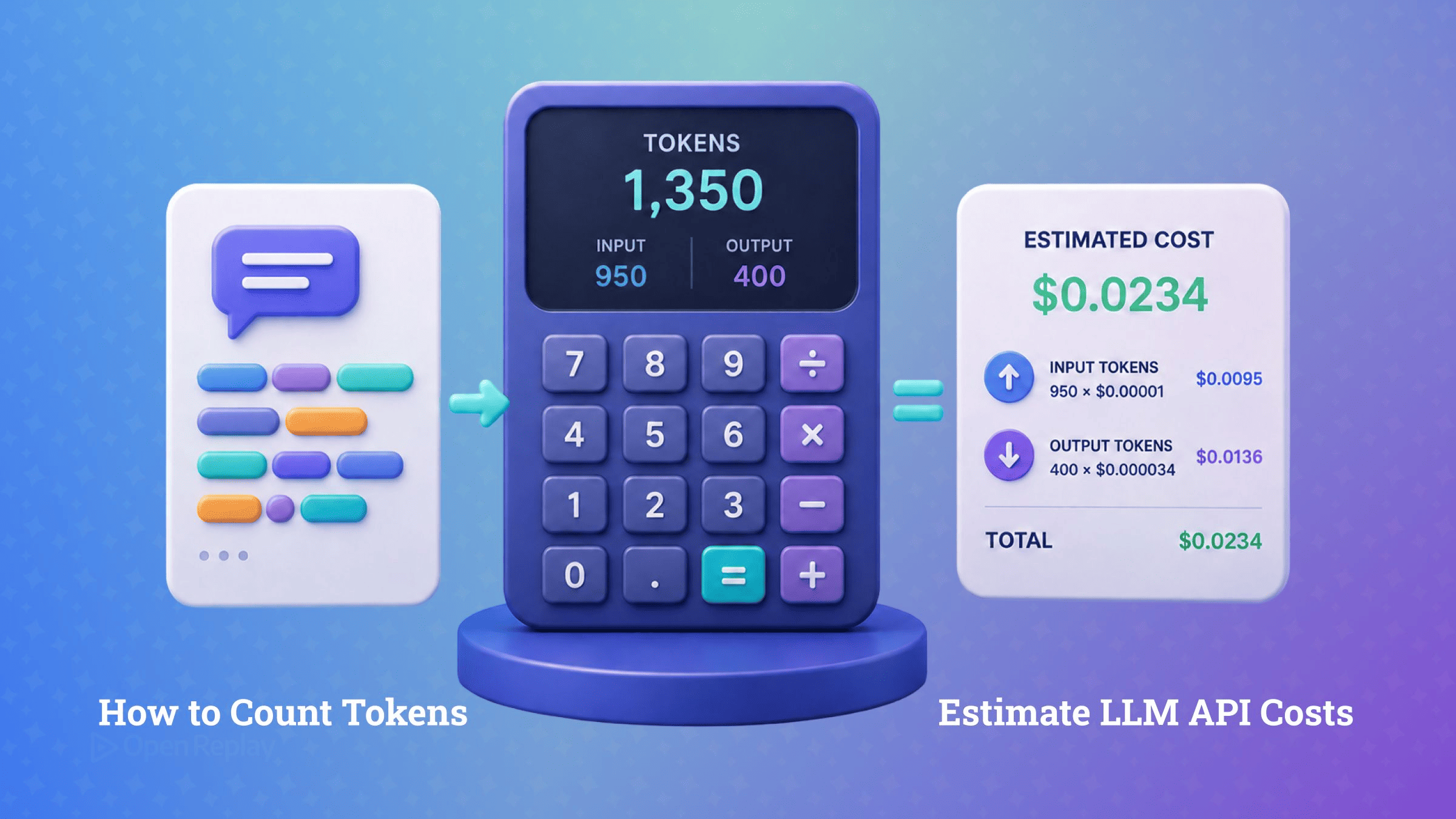
To count tokens accurately, run the full request body through the tokenizer of the model you are actually calling, then estimate cost as (input_tokens ÷ 1,000,000) × input_rate + (output_tokens ÷ 1,000,000) × output_rate, with the current rates taken from the provider’s pricing page.
Nobody works this out in advance. It comes up the morning the bill lands, or the afternoon a long conversation starts throwing context-window errors at real users, and suddenly “how many tokens is this?” is the only question that matters. The awkward part is that a token is not a word, the count depends on the model, and half of what you are billed for never appears in your prompt string.
This article gives you the repeatable method: when a rough estimate is fine, how to get an exact count per provider, what actually gets billed, and how to turn counts into a cost projection that survives a price change.
Key Takeaways
- Count tokens with the tokenizer of the model you are calling: tiktoken for OpenAI,
messages.countTokensfor Claude,countTokensfor Gemini, and the model’s own Hugging Face tokenizer for Llama. - Heuristics like characters ÷ 4 are acceptable for capacity planning but never for billing; they break on code, JSON, non-English text and emoji.
- The billed prompt is the full request body, including system prompt, role framing, tool schemas and re-sent conversation history, not just the user’s message.
- Input token counts are deterministic, output counts are not: sample 50–200 real requests, plan cost from the mean output length and set
max_tokensfrom the p95. - Estimated cost per request is (input_tokens ÷ 1M) × input_rate + (output_tokens ÷ 1M) × output_rate, with rates read live from the provider’s pricing page.
Why Is a Token Not a Word?
A token is a model-specific unit of text produced by a subword tokenizer, and it maps to neither words nor characters. Tokenizers built on byte pair encoding, like OpenAI’s tiktoken, merge frequently seen character sequences into single tokens and split rare words into several pieces. The word “idempotency” encodes to four tokens (“id”, “emp”, “ot”, “ency”) under cl100k_base, the GPT-4-era encoding, and to three (“id”, “empot”, “ency”) under o200k_base, the encoding current OpenAI models use.
That last point is the one that matters for billing: the split is model-specific. The same sentence produces different counts under GPT, Claude, Gemini and Llama tokenizers, because each was trained on different data with a different vocabulary. Any count taken with the wrong tokenizer is a guess.
When Is a Rough Estimate Good Enough?
For English prose, characters ÷ 4 or words × 1.33 gets you close enough to size a database column or sketch a capacity plan. Use heuristics for capacity planning, never for billing or context-window decisions.
The heuristics fail exactly where production traffic lives: code, JSON, non-English text and emoji. Structured payloads tokenize on punctuation and whitespace patterns the character count ignores, and a single emoji can expand into several tokens, so characters ÷ 4 undercounts emoji-heavy strings badly. Cross-tokenizer differences that stay modest on English prose grow materially larger on code and structured data, which is precisely the content a summarizer or agent sends.
Which LLM Token Counter Gives an Exact Count?
The principle fits in one line: count with the tokenizer that belongs to the model you are calling. The routes per provider:
| Provider | Exact counting route |
|---|---|
| OpenAI | tiktoken, or js-tiktoken in Node and edge runtimes |
| Anthropic | the count-tokens endpoint, client.messages.countTokens() in the TypeScript SDK |
| Gemini | ai.models.countTokens() in the @google/genai SDK |
| Llama and other open models | the model’s own tokenizer published on Hugging Face |
In JavaScript, js-tiktoken is a pure JS port, so there is no WASM binary to load and no manual memory to free, and you can pull in one encoding on its own rather than the whole set, which keeps the bundle small:
import { Tiktoken } from "js-tiktoken/lite";
import o200k_base from "js-tiktoken/ranks/o200k_base";

const enc = new Tiktoken(o200k_base);
const count = enc.encode("Summarise this ticket thread for support.").length;
Anthropic’s endpoint is free to call, subject only to its own rate limits, so there is no cost excuse for approximating Claude counts with another provider’s tokenizer. Treat its result as the authoritative pre-flight count, not an exact one: Anthropic documents it as an estimate, and the billed figure comes from the response’s usage fields. Tokenizers also shift between model generations within one provider. Anthropic’s token counting docs put Claude 4.7 and later on a newer tokenizer that turns the same text into roughly 30 percent more tokens than earlier Claude models did, and the exact gap depends on your content. An old count does not transfer; take a fresh one on the model you are actually calling. And when you just want the number without wiring an SDK, paste the prompt into an LLM token counter that covers GPT, Claude, Gemini and Llama.
Why Doesn’t My Count Match the Bill?
The billed prompt is the full request body, not the string you wrote. Role framing, the system prompt, tool and function schemas, and per-message separators all add tokens, which is why counting only the user’s message always undercounts. A single tool definition can add hundreds of input tokens to every request that carries it.
Conversation history is the multiplier. A chat feature re-sends the entire history on every turn, so each turn’s input includes every previous turn, and per-conversation cost grows superlinearly with conversation length. The fix for counting is simple: assemble the exact messages array, system prompt and tools you will send, and count that. Anthropic’s count-tokens endpoint takes the same payload you would have sent to create the message, tool definitions included, so you can pass the assembled request straight through to it.
How Do I Turn Token Counts Into a Cost Estimate?
Estimated cost per request is one line of arithmetic, kept symbolic:
cost = (input_tokens / 1_000_000) * input_rate + (output_tokens / 1_000_000) * output_rateWhere providers support prompt caching, cached input tokens bill at a separate, lower cached_input_rate. Per-model prices change within weeks, so no rates are printed here. Treat rates as injected config in your code, read the current values from the provider’s pricing page, and use an LLM cost calculator to compare current numbers across models.
Two facts shape every estimate. First, output tokens usually carry a materially higher rate than input tokens at the major providers, so response length often dominates cost. Second, input counts are deterministic while output counts are not: the same request always counts the same going in, but what comes back varies with sampling. Measure output empirically. Run 50–200 representative requests, plan cost from the mean output length, and set max_tokens from the 95th percentile so legitimate responses are not truncated while runaway generations stay capped.
How Do I Know a Prompt Fits the Context Window?
Input tokens plus expected output tokens must fit inside the model’s context window, or the call fails outright or the response truncates. The pre-flight check belongs in your request wrapper: budget the window across system context, conversation history and output headroom, count the assembled request, and trim history before sending rather than after an error. A context window checker tells you whether a given prompt fits a given model without memorizing window sizes that change with every release.
The wrapper placement matters because an overrun is user-visible: a truncated answer or a mid-stream error, and the user’s reflex is to retry, so a token-budget bug bills twice. Session replays of LLM-backed features surface exactly that retry loop, long before it shows up on an invoice reviewed monthly.
What to Log in Production
The method is stable even though the prices are not: count the assembled request with the calling model’s own tokenizer, sample real traffic to learn your output distribution, and keep rates as config you refresh from pricing pages. Then close the loop in production. Every major provider returns actual token counts in the response’s usage fields, such as Anthropic’s usage.input_tokens and Gemini’s usageMetadata, though Gemini’s newer Interactions API, still in Beta, returns usage with total_input_tokens and total_output_tokens. Log them per request from day one; recording them is trivial, and reconstructing them after the surprising bill arrives is not.
FAQs
Can I use tiktoken to count tokens for Claude or Gemini models?
No. Each provider's tokenizer has its own vocabulary, so a tiktoken count is only valid for OpenAI models and can diverge substantially on the same input for Claude or Gemini. Use Anthropic's count-tokens endpoint, which is free to call, for Claude, the countTokens method in the @google/genai SDK for Gemini, and the tokenizer published on Hugging Face for open models like Llama.
What is the difference between the tiktoken and js-tiktoken npm packages?
tiktoken is a WASM binding: it loads a compiled binary and requires calling free() to release encoder memory when you are done. js-tiktoken is a pure JavaScript port with camelCase methods (getEncoding, encodingForModel), no WASM binary and no manual memory management, which makes it the safer choice for edge and serverless runtimes. Importing a single encoding rank file keeps its bundle size small.
Do streaming responses still report token usage?
Yes, but not by default everywhere. For OpenAI Chat Completions, set stream_options with include_usage true and the API streams one extra final chunk whose usage field covers the entire request and whose choices array is empty. Anthropic streams usage automatically: the message_start event carries input_tokens and message_delta events carry cumulative output_tokens. Log these fields rather than counting streamed chunks yourself.
Which tiktoken encoding should I use for which OpenAI model?
Use o200k_base for current OpenAI models such as gpt-4o and later, and cl100k_base only for GPT-4-era models. The two encodings split text differently, so a count taken under one does not transfer to the other. Given a model ID, encodingForModel in js-tiktoken selects the matching encoding for you, which avoids pinning the wrong encoding as models change.