Replace Port Numbers with Named URLs in Development
Replace localhost ports with named URLs using .localhost, reverse proxies, or portless to avoid port conflicts, cookie bleed, and wrong tabs.

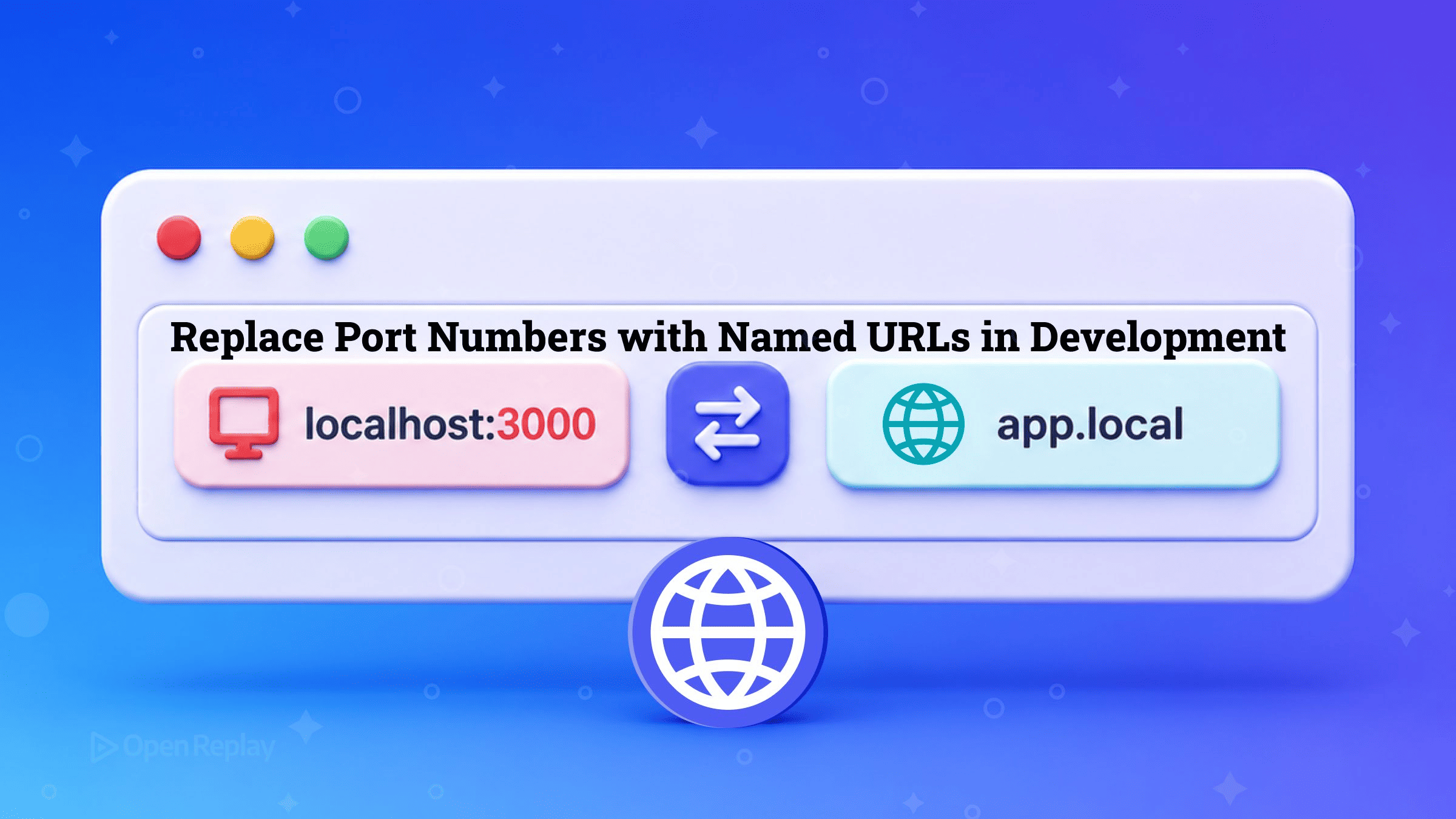
A localhost domain name is a human-readable hostname such as app.localhost that resolves to 127.0.0.1, letting each local service keep a stable address instead of a shifting port number.
You have probably had the moment where three dev servers are running, you tab back to localhost:3000 to check a fix, and the app looking back at you is yesterday’s project. Swapping localhost:3000 for app.localhost fixes a cluster of daily annoyances at once (port conflicts, drifting URLs, cookie bleed, and the “wrong tab” problem) because each app gets its own hostname and, with it, its own isolated browser scope. This article covers three ways to get there: the built-in .localhost TLD, a do-it-yourself reverse proxy, and portless, a purpose-built local proxy from Vercel Labs.
Key Takeaways
- The
.localhostTLD is reserved for loopback use by RFC 6761, so any name under it resolves to127.0.0.1in Chrome, Firefox, and Edge without a hosts-file entry. Safari, which defers to the system resolver, may still need one. - Because browsers scope cookies by host and ignore the port,
app.localhostandapi.localhoststay separate whilelocalhost:3000andlocalhost:3001share a cookie jar. - The
.localhostTLD alone does not remove the port; your app still listens on one, so you need a reverse proxy to map the hostname to that port. - portless (Vercel Labs, still pre-1.0) assigns each app an ephemeral port in the 4000–4999 range via the
PORTenvironment variable and routes a stablename.localhostURL to it, with HTTPS and HTTP/2 on by default. - A stable named URL recorded in an agents file lets AI coding tools hit the right service instead of guessing between port 3001 and 8080.
Why do named URLs beat port numbers?
Port-based local development breaks in predictable ways once you run more than one service. Start a second app on an occupied port and Node throws EADDRINUSE. Frameworks that auto-increment dodge the crash but introduce drift: your blog is on localhost:3001 today and localhost:3002 tomorrow, so bookmarks rot and browser history for localhost:3000 becomes an unnavigable pile of unrelated projects. Kill one server, start another on the freed port, and a tab you left open quietly serves the other project: the “wrong tab” problem.
The subtler failure is state bleed. Browsers scope cookies by host and disregard the port, so localhost:3000 and localhost:3001 write into the same cookie jar. Session state from one app leaks into another. Named subdomains fix this at the origin level: app.localhost and api.localhost are distinct hostnames, so they cleanly separate cookies, and because the same-origin policy keys on scheme, host, and port, they separate localStorage and sessionStorage too. Microsoft’s guidance on the TLD makes the same point: giving each local app its own name keeps name-scoped assets such as cookies apart, and the name in the address bar tells you at a glance which app you are looking at.
What is the .localhost TLD?

Discover how at OpenReplay.com.
The simplest named-URL mechanism ships with your browser. RFC 6761 reserves the .localhost TLD, and every name beneath it, for the loopback address, which is why app.localhost answers on 127.0.0.1 with no setup at all. Chrome, Firefox, and Edge handle that resolution internally, mapping any *.localhost name to 127.0.0.1 or ::1, so such a name acts as an alias for whatever is already serving on localhost. Safari is the one to watch: it passes the name to the system DNS resolver instead, and not every resolver configuration answers for .localhost subdomains, so you may need an /etc/hosts entry there.
There’s a catch: the TLD alone does not remove the port. Your app still listens on :3000, and app.localhost without a port just hits app.localhost:80, where nothing is listening. To actually drop the number, you need a reverse proxy on port 80 or 443 that reads the Host header and forwards to the app’s real port.
DIY: hosts file plus a reverse proxy
You can assemble named URLs from parts you already know. Add a hostname to /etc/hosts (or rely on .localhost auto-resolution), then run a reverse proxy that maps the name to your dev server’s port. A Caddy config is about as terse as it gets:
app.localhost {
  reverse_proxy localhost:3000
}
api.localhost {
  reverse_proxy localhost:8080
}
Caddy provisions local TLS certificates automatically; nginx and Traefik do the same job with more configuration. For wildcard local domains, dnsmasq can resolve an entire *.test space to 127.0.0.1 so you skip per-name hosts entries. And each dev server still needs its host and port pinned (Vite via server.host and server.port, webpack via devServer) so the proxy has a stable target.
The tradeoff is upkeep. You maintain the proxy config, the certificate trust, the hosts entries, and the per-project port assignments, and you keep all four in sync by hand as services come and go. For one or two long-lived apps that’s fine. Across a monorepo it becomes its own chore.
portless: named URLs that just work
portless is a local proxy that automates the whole chain. You prefix your dev command, so next dev becomes portless run next dev, or you run bare portless and let it infer the app name from package.json, the git root, or the directory. The proxy auto-starts, assigns a free port in the 4000–4999 range, injects it through the PORT environment variable, and routes https://name.localhost to it. Frameworks that ignore PORT, such as Vite, Astro, Angular, and Expo, get the right --port flag passed in for them, plus a matching --host flag where one is needed.
In the 0.15.x releases, portless enables HTTPS with HTTP/2 by default on port 443, generating and trusting a local certificate authority on first run. It auto-elevates with sudo on macOS and Linux because binding 443 needs root, and portless trust re-adds the CA if you skipped the prompt. Earlier writeups showing an opt-in --https flag and a :1355 default describe a superseded version. HTTP/2 helps locally for a specific reason: a browser will hold only six HTTP/1.1 connections open to any one host, so a dev server that hands over hundreds of separate unbundled files ends up queueing them, while one HTTP/2 connection carries them all at once. portless requires Node.js 24 or newer.
A few features earn their keep on larger setups. Subdomains like api.myapp.localhost organize microservices; a single portless.json at a monorepo root auto-discovers workspace packages. For a fixed-port service you can’t change, such as a Docker container, portless alias <name> <port> maps a named URL to it, and PORTLESS=0 bypasses the proxy entirely for CI or a quick test. If you want a custom TLD, portless recommends .test, which RFC 6761 also reserves, and warns off two others: .local clashes with mDNS and Bonjour, while .dev belongs to Google, which has it force-upgrade to HTTPS via HSTS.
Why stable local URLs matter for AI coding agents
AI coding agents fail at the same thing humans do with ports, only silently: they hardcode a number seen earlier in context or guess wrong. An agent that reads a fixed https://api.myapp.localhost from an AGENTS.md file always targets the right service, instead of alternating between 3001 and 8080 across sessions and interrupting you to ask. This is a general dev-tooling shift: stable endpoints are infrastructure for automation. portless ships skill files, and the 0.15.x releases add Markdown docs pages and an llms.txt index, to make its URLs discoverable to agents out of the box.
Choosing an approach
.localhost TLD only | TLD + reverse proxy | portless | |
|---|---|---|---|
| Removes the port? | No | Yes | Yes |
| Extra tools | None | Caddy/nginx/Traefik | One global install |
| HTTPS | Manual | Proxy-provided | On by default |
| Monorepo auto-discovery | No | No | Yes |
| Agent-friendly | Partial | Partial | Yes (skill files, llms.txt) |
| Setup friction | Lowest | Medium (manual sync) | Low |
The one-line decision: reach for the built-in TLD plus a reverse proxy if you want zero new tools and don’t mind maintaining config; reach for portless if you want named URLs to just work across many services, a monorepo, or with AI agents.
Named, stable, human-readable local URLs are strictly better than port numbers, and you can adopt them in minutes: add a two-line Caddyfile today, or prefix one dev script with portless and never think about EADDRINUSE again.
FAQs
Do I need to add .localhost subdomains to my /etc/hosts file?
No, not in Chrome, Firefox, or Edge. Those three resolve any name under the .localhost TLD to 127.0.0.1 themselves, because RFC 6761 reserves the TLD for loopback use, so app.localhost and api.localhost work with zero configuration. Safari is the exception, because it hands the lookup to the system DNS resolver, and not every resolver setup answers for .localhost subdomains. Add an /etc/hosts entry there if a name fails to load.
Does using a .localhost domain remove the port number from my dev server?
No. The .localhost TLD only resolves the hostname to 127.0.0.1; your app still listens on its original port, so app.localhost without a port hits app.localhost:80, where nothing is running. To actually drop the number you need a reverse proxy on port 80 or 443 that reads the Host header and forwards to the app's real port. That is exactly what tools like Caddy or portless automate.
Why do cookies leak between localhost:3000 and localhost:3001 but not between app.localhost and api.localhost?
Browsers scope cookies by host and ignore the port, so localhost:3000 and localhost:3001 share the same host, localhost, and therefore the same cookie jar. Named subdomains have distinct hosts, so app.localhost and api.localhost keep separate cookies. Because the same-origin policy keys on scheme, host, and port, distinct hostnames also cleanly separate localStorage and sessionStorage, which port-based origins do not.
What Node.js version does portless require, and does it work without sudo?
portless requires Node.js 24 or newer. On macOS and Linux it auto-elevates with sudo on first run because binding port 443 for HTTPS needs root privileges. HTTPS runs with HTTP/2 out of the box, and portless creates and trusts a local certificate authority the first time it runs; use portless trust to add the CA later if you skipped the initial prompt.