Working with Typed CSS Variables Using @property
Typed CSS variables with @property: validate custom properties, animate values smoothly, and understand silent fallback, syntax, and browser support.

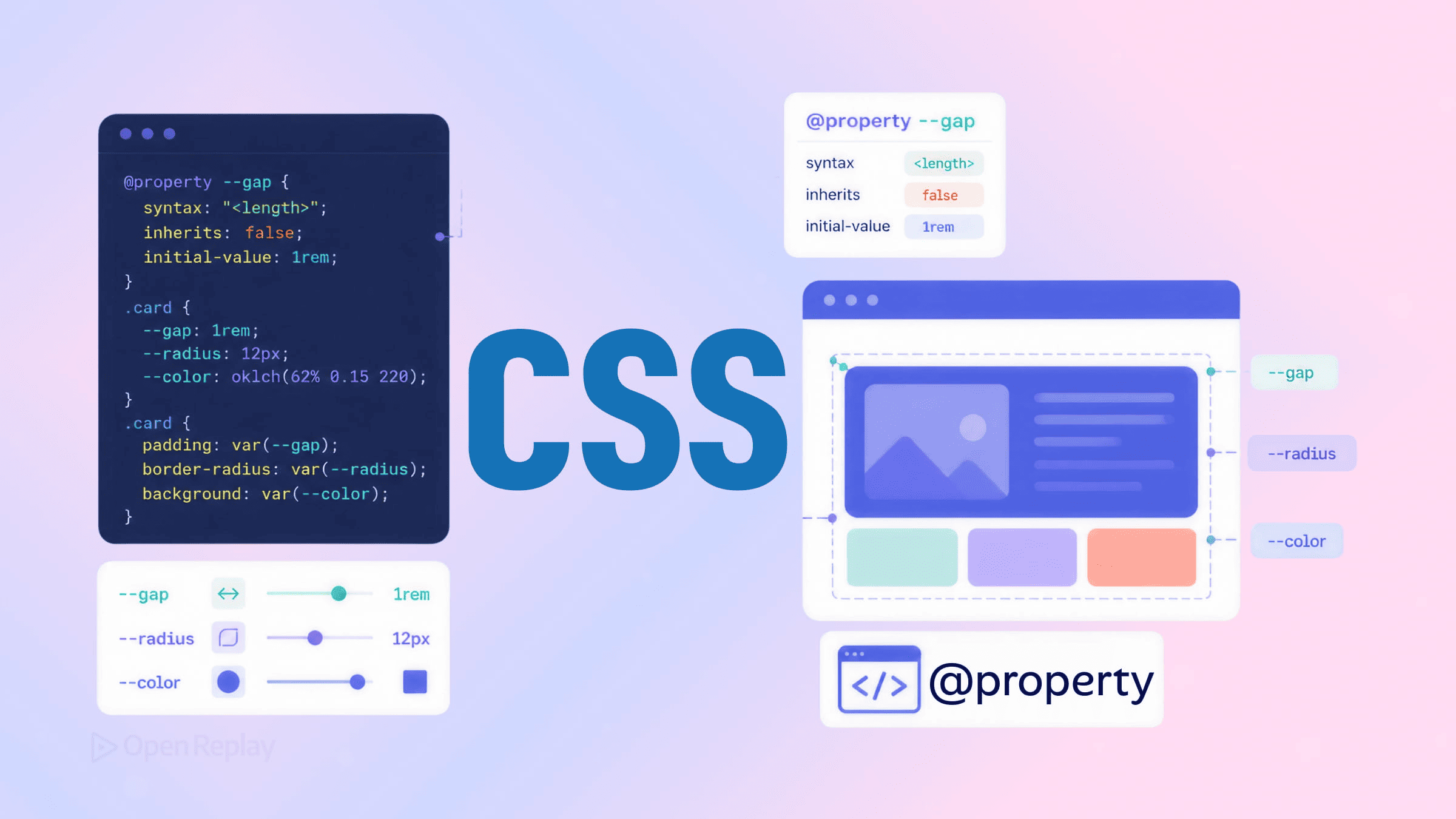
The CSS @property at-rule assigns a type to a custom property. Once registered, the browser validates every assignment, interpolates between values during animations, and falls back to a defined initial value on invalid input. @property fixes CSS variables’ validation and interpolation gaps — but it changes the failure mode in a way most developers don’t expect, replacing a visibly broken value with a silent fallback that throws no error.
This article covers the three descriptors and which are required, the supported type registry with concrete examples, the silent-fallback behavior and what users actually see when it fires, animating typed properties beyond the usual rotation demo, the CSS.registerProperty() JavaScript equivalent, current browser support, and a decision criterion for when registration isn’t worth the ceremony.
Key Takeaways
- An untyped CSS custom property is a string;
@propertygives it a type the browser validates at every assignment site. - The
syntaxandinheritsdescriptors are always required, andinitial-valueis required wheneversyntaxis not"*"— per the CSS Properties and Values API Level 1 spec. - When a registered property receives a value that doesn’t match its declared
syntax, the browser silently reverts toinitial-valuewith no console error and no visual indicator that the fallback fired. - Typed properties interpolate during transitions and animations; untyped custom properties do not, because the browser sees two opaque strings with no numeric midpoint.
@propertyis Baseline Newly Available as of July 9, 2024 — the “experimental” caveats in pre-2024 references are obsolete.
The problem: untyped custom properties are just strings
A standard CSS custom property holds an unparsed string until it’s substituted into a real property. The browser does not know whether --accent is meant to be a color, a length, or a keyword. It performs no validation at the declaration site, can’t interpolate between two values during an animation, and gives you no feedback when a value is structurally wrong for how you intend to use it.
That third gap is the practical one. Consider an untyped property used in a text-shadow:
.card {
  --accent: red;
  text-shadow: 4px 2px 5px var(--accent);
}

/* somewhere else, by mistake */
.card {
  --accent: 20px;
}
The text-shadow declaration becomes invalid at substitution time and the shadow disappears. There’s no warning at the point where --accent was set to 20px, because at that point it’s still just a string. The browser has no notion that this property was supposed to be a color. The MDN custom properties guide describes this substitution model: a custom property’s value is resolved only when it’s referenced via var().
@property from the CSS Properties and Values API Level 1 specification adds a type to the property itself. Once registered, the browser knows --accent is a <color> and enforces that at every assignment, not just at substitution.
Syntax: the three descriptors and which are required

Discover how at OpenReplay.com.
The @property at-rule takes three descriptors: syntax, inherits, and initial-value. The syntax and inherits descriptors are always required; initial-value is required whenever syntax is not "*" — omitting it from a typed registration causes the entire @property block to be invalid and ignored.
@property --accent {
  syntax: "<color>";
  inherits: false;
  initial-value: #586de7;
}syntax— a string describing the accepted type, drawn from a fixed set of supported names defined by the spec (covered in the next section).inherits— a boolean (trueorfalse) controlling whether the property inherits down the DOM tree. This is the same inheritance behavior any CSS property has; setting it explicitly is what makes typed properties predictable across nested components.initial-value— the value used when no other valid value applies, and the value the property falls back to on invalid input.
The CSS Properties and Values API Level 1 spec, §3.1 defines the requirement precisely: a @property rule is invalid if syntax or inherits is missing, and it is invalid if initial-value is missing unless syntax is the universal "*". Several existing tutorials describe initial-value as unconditionally required; the spec ties it to the syntax value, and inherits has no bearing on the condition. An invalid @property rule is dropped — the registration simply doesn’t happen, and the property reverts to untyped behavior.
The CSS @property type registry
The syntax descriptor accepts the supported syntax component names defined by the CSS Properties and Values API Level 1 spec, §2 — including <color>, <length>, <percentage>, <integer>, <angle>, <image>, and <custom-ident> — plus multipliers (+ for space-separated lists, # for comma-separated) and union syntax (<color> | <length>) for properties that legitimately accept multiple types. This is a fixed list of supported names, not an open door to any CSS type keyword.
syntax value | Accepts | Rejects | Example initial-value |
|---|---|---|---|
"<color>" | any valid color (#f00, rebeccapurple, oklch(...)) | lengths, keywords like darkpink | #586de7 |
"<length>" | px, rem, em, vw, etc. | bare numbers, percentages | 20px |
"<percentage>" | 50% | lengths, bare numbers | 100% |
"<integer>" | whole numbers (12) | 1.5, lengths | 12 |
"<angle>" | deg, rad, turn, grad | bare numbers | 0deg |
"<image>" | url(...), gradients | colors, lengths | url(bg.png) |
"<custom-ident>" | author-defined identifiers | numbers, strings with quotes | none |
"*" | any value (untyped passthrough) | nothing — accepts everything | optional |
Three grammar extensions widen what a single property accepts:
/* "+" — a space-separated list of lengths */
@property --insets {
  syntax: "<length>+";
  inherits: false;
  initial-value: 0px;
}

/* "#" — a comma-separated list of colors */
@property --stops {
  syntax: "<color>#";
  inherits: false;
  initial-value: black;
}

/* "|" — a union: accepts either a length or the keyword "auto" */
@property --gap {
  syntax: "<length> | auto";
  inherits: false;
  initial-value: auto;
}
The + multiplier means a space-separated list; # means a comma-separated list, per the supported syntax strings section of the spec. The | union lets a property accept more than one type — useful for properties that genuinely take, say, a length or a keyword. The "*" universal syntax disables type checking entirely; it’s the one case where initial-value is optional, because there’s no type to default to. For per-type definitions, the MDN CSS value types reference and the CSSWG types index list each component name.
Validation: the silent fallback you don’t expect
When a registered property receives a value that doesn’t match its declared syntax, the browser discards the assignment and renders the element using initial-value. In current browsers, this fallback produces no console error and no visual indication in the rendered page that the fallback fired — the page does not break, but it also does not tell you anything went wrong.
@property --hue {
  syntax: "<angle>";
  inherits: false;
  initial-value: 90deg;
}

.card {
  --hue: 220deg;            /* ✅ valid, used */
  --hue: #f00;              /* ❌ invalid type, ignored — reverts to 90deg */
  background: oklch(70% 0.15 var(--hue));
}
The background always resolves to a valid color. After the invalid assignment, --hue does not become #f00 and it does not become empty — the invalid value is discarded and the property resolves to its registered initial-value of 90deg. The MDN @property page documents this as the property becoming “invalid at computed-value time,” which resolves to the registered initial value.
This is genuinely better than a visibly broken layout. It’s also a new failure class. Untyped custom properties fail loudly — the dependent declaration breaks and you see it. Typed properties fail quietly: a JS theme-switcher writes a malformed color, a user-supplied value doesn’t parse, a design token gets the wrong unit, and the component renders in its default state with no error trail. DevTools shows the computed fallback value if you inspect the element, but nothing surfaces in the console at runtime.
This is the class of bug that session replay is built to catch. When a typed custom property receives invalid input in production — from user input, a misconfigured token, or a runtime theme change — the browser silently falls back to initial-value, no JavaScript error fires, and standard error monitoring produces no signal. The only post-deployment evidence is visual: a component rendered in the wrong color or size. Session replays of these implementations frequently reveal the off-state directly, capturing the rendered DOM at the moment the bad value was assigned where a console-only tool sees nothing.
Animation: interpolating typed properties
Registered custom properties interpolate during animations; unregistered ones animate discretely instead. This is the single most useful consequence of typing. Because the browser understands that --hue is an <angle> and not a string, it can interpolate between 0deg and 360deg across a transition — something impossible with an untyped custom property, where the browser sees two opaque strings with no numeric midpoint. The CSS Transitions specification defines interpolation as operating on typed values; an unregistered custom property has no type, so the browser swaps it discretely instead of tweening.
Every other tutorial demonstrates this with transform: rotate(). Here’s a more illustrative case — animating the hue channel of an oklch() color, which shows that typing lets you interpolate a value inside a function, not just a standalone property:
@property --hue {
  syntax: "<angle>";
  inherits: false;
  initial-value: 0deg;
}

.swatch {
  width: 200px;
  height: 200px;
  border-radius: 12px;
  background: oklch(65% 0.2 var(--hue));
  animation: hue-cycle 6s linear infinite;
}

@keyframes hue-cycle {
  to {
    --hue: 360deg;
  }
}
The swatch cycles smoothly through the full hue wheel because the browser tweens --hue from 0deg to 360deg and recomputes oklch(65% 0.2 var(--hue)) at each frame. The CSS Color Level 4 specification defines the hue argument of oklch() as accepting an <angle>, which is exactly what we registered. Remove the @property block and the animation breaks: --hue becomes an untyped string, the browser can’t interpolate it, and the swatch snaps from start to end instead of cycling. That before/after is the clearest demonstration of why registration matters for motion.
The JavaScript equivalent: CSS.registerProperty()
CSS.registerProperty() is the imperative equivalent of the @property at-rule. It registers a typed custom property at runtime from JavaScript, taking an object with name, syntax, inherits, and an optional initialValue:
window.CSS.registerProperty({
  name: "--hue",
  syntax: "<angle>",
  inherits: false,
  initialValue: "0deg",
});
Note the camelCase initialValue in the JS API versus the hyphenated initial-value descriptor in CSS. The MDN CSS.registerProperty() reference documents the parameter names and behavior. The two registration paths are equivalent in effect; a property registered either way is typed and validated identically.
Reach for the at-rule by default — it lives with the rest of your styles, is declarative, and requires no JavaScript execution to take effect. Use CSS.registerProperty() when the registration must be dynamic: a property whose syntax or initialValue depends on runtime conditions, or a library that registers properties programmatically as part of its initialization. Note that a property registered with CSS.registerProperty() cannot be re-registered, so guard against running it twice.
Browser support
As of July 9, 2024, @property is Baseline Newly Available — supported in current versions of Chrome, Firefox, and Safari — making the “experimental” caveats in older references obsolete. Firefox added support in version 128, released July 2024, which completed cross-browser support; Safari shipped it in 16.4; Chrome has supported it since version 85. The web.dev Baseline announcement confirms the date and status. For exact version data, see caniuse. Tutorials published before mid-2024 describe support as “experimental” or “forthcoming”; those statements no longer hold.
Real-world patterns
The highest-value uses of @property share a trait: the property either animates, takes external input, or needs explicit inheritance control.
Global definition, scoped consumption
Define @property blocks once in a global token layer; consuming components reference the variable with var() as usual. Every reference tutorial declares @property directly above the rule that uses it, which misleads for design-system work — the realistic pattern separates registration from consumption:
/* tokens.css — loaded once at document root */
@property --brand-hue {
  syntax: "<angle>";
  inherits: true;
  initial-value: 250deg;
}

@property --surface {
  syntax: "<color>";
  inherits: true;
  initial-value: #1a1a1a;
}
/* card.css — the component never references the registration */
.card {
background: var(--surface);
border-color: oklch(60% 0.1 var(--brand-hue));
}Any assignment to --surface — from a theme switcher, a media query, or user input — is validated. Setting inherits: true lets the tokens cascade to descendants.
Color theming with adaptive surfaces
Typed color tokens let a single --brand-hue drive a surface palette through oklch(); a malformed hue value falls back to the registered initial value instead of breaking the palette:
html:has(#dark:checked) {
  --surface: oklch(20% 0.1 var(--brand-hue));
}
html:has(#light:checked) {
  --surface: oklch(95% 0.04 var(--brand-hue));
}
Scroll-driven progress indicators
A typed <percentage> or <length> reads cleanly as a progress value and interpolates smoothly when driven by an animation or updated from JavaScript:
@property --progress {
  syntax: "<percentage>";
  inherits: false;
  initial-value: 0%;
}

.progress-bar {
  width: var(--progress);
  transition: width 0.2s linear;
}
function onScroll() {
const pct = (scrollY / (document.body.scrollHeight - innerHeight)) * 100;
document.querySelector(".progress-bar")
.style.setProperty("--progress", `${pct}%`);
}Typing --progress as <percentage> means a stray non-percentage value reverts to 0% rather than corrupting width.
When not to use @property
Skip @property registration for custom properties that never animate, never take external input, and don’t need explicit inheritance control. The three descriptors add syntactic overhead with no runtime payoff for purely static tokens. Registration is justified when at least one of three conditions holds:
- The value animates or transitions. Interpolation requires a registered type.
- The value receives external input that could be invalid. A theme-switcher, user input, or a build-time token that might be malformed benefits from the silent-fallback guarantee.
- Inheritance behavior needs explicit control. When you need to lock a property’s cascade behavior across nested components.
For a static spacing scale, a z-index tier, or a font-family string that’s set once and never animated or fed external input, a plain custom property in :root is simpler and does the job. Adding @property there gives you three descriptors to maintain and no behavior you’d otherwise lack. Type the properties that move or take input; leave the rest as strings.
Typed custom properties turn the browser into a validator and an interpolation engine, but the trade is a quiet failure mode: invalid input reverts to initial-value with no error trail. Register the properties that animate or take runtime input, set sensible initial values, and treat that fallback as a behavior to watch for in production rather than a safety net that hides problems.
FAQs
Does @property work inside :root, or does it need to be declared elsewhere?
The @property at-rule is a top-level at-rule and is declared on its own, not nested inside :root or any selector. You write the @property block anywhere in your stylesheet to register the type globally, then set the property's value inside :root or any selector as you would any custom property. The registration applies document-wide regardless of where the value is later assigned, so placing @property in a global token file and assigning values in :root is the standard pattern.
What is the difference between using @property and CSS.registerProperty() in JavaScript?
Both register a typed custom property with identical runtime behavior, but @property is declarative CSS that takes effect without JavaScript, while CSS.registerProperty() runs imperatively at runtime. Use @property by default since it lives with your styles and needs no script execution. Reach for CSS.registerProperty() only when registration must be dynamic, such as when syntax or initialValue depends on runtime conditions. Note that CSS.registerProperty() uses camelCase initialValue, cannot re-register a property, and throws if called twice for the same name.
Can I animate an untyped CSS custom property without @property?
No. An untyped custom property is stored as an opaque string, so the browser sees two strings with no numeric midpoint and swaps the value discretely instead of interpolating. Registering the property with @property gives it a type the browser understands, which enables interpolation across transitions and keyframes. For example, an unregistered angle snaps from start to end, while the same property registered as <angle> tweens smoothly. The type registration is what makes interpolation possible.
What happens when @property receives a value that does not match its declared syntax?
The browser discards the invalid assignment and renders the element using the registered initial-value. This happens silently with no console error and no visual indication in the rendered page that the fallback fired, behavior described in the spec as becoming invalid at computed-value time. The page does not break, but it also does not signal that anything went wrong, which makes these regressions invisible to standard error monitoring. DevTools shows the computed fallback value only if you inspect the element directly.
Truly understand users experience
See every user interaction, feel every frustration and track all hesitations with OpenReplay — the open-source digital experience platform. It can be self-hosted in minutes, giving you complete control over your customer data.
Star on GitHub12k