What Goes in a WordPress theme.json File
See what belongs in a WordPress theme.json file, how settings and styles generate CSS variables, and how presets, custom CSS, and child themes work.

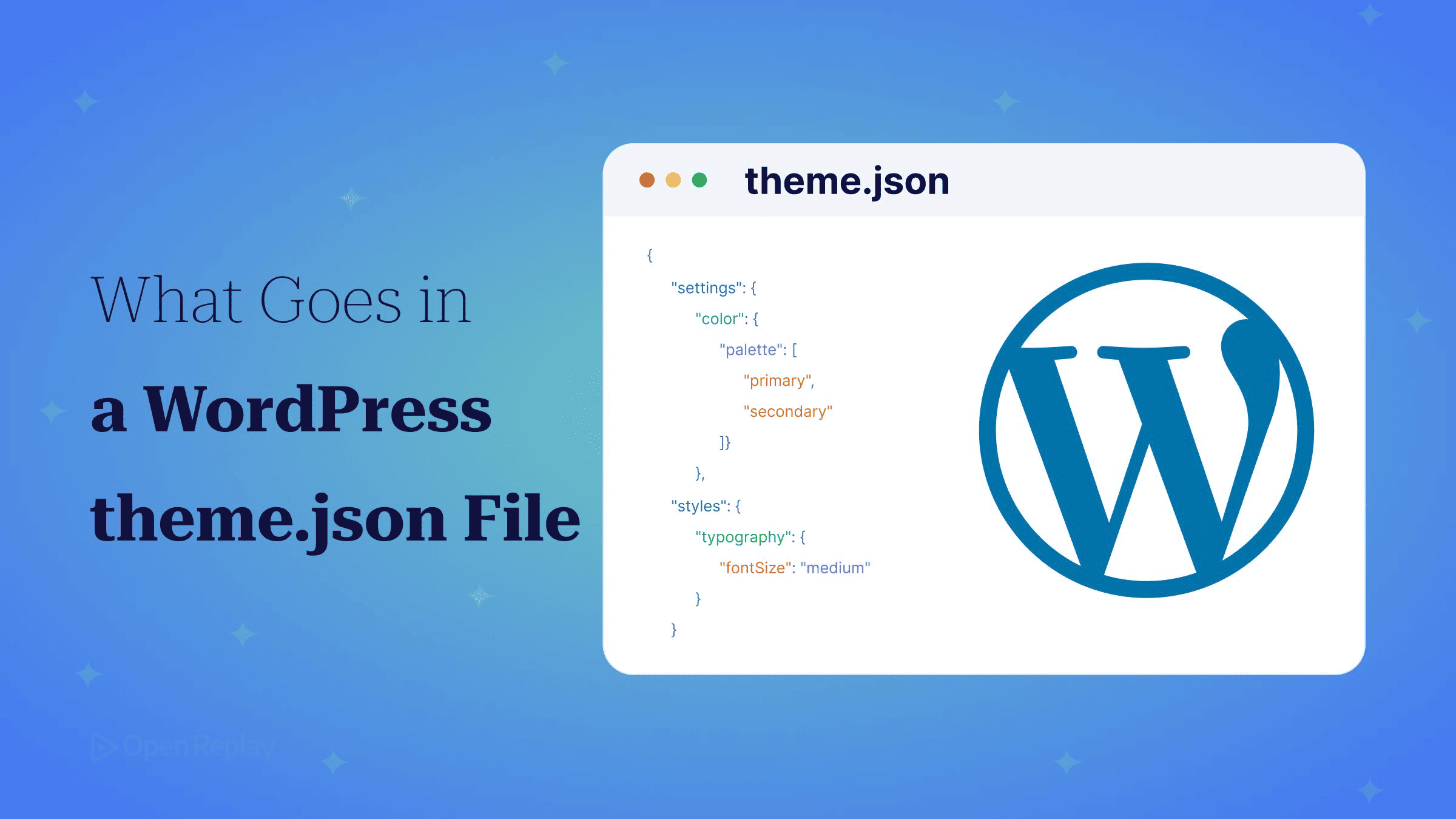
A WordPress theme.json file is a JSON file in the root of a block theme that declares the theme’s design tokens (colours, font sizes, font families, spacing and layout widths) once, so the block editor and the front end both read the same values.
If you’re coming from design-token pipelines, the file will look familiar until you try to find the CSS it produces or work out why a child theme wiped half the palette. This article goes through each part of the file, shows the CSS WordPress generates from it, explains how to use those variables in your own stylesheet, and covers where hand-written CSS is still required. Every example uses schema version 3, introduced in WordPress 6.6.
Key Takeaways
theme.jsonhas two main top-level keys:settingsdecides which controls and presets the editor offers, andstylesapplies default values to the page, to HTML elements and to individual blocks.- Every preset except duotone filters becomes a CSS custom property named
--wp--preset--{category}--{slug}, so a palette colour with the sluginkis available asvar(--wp--preset--color--ink)in any stylesheet. - Values under
settings.custombecome--wp--custom--*properties, with camelCase converted to kebab-case and each nesting level separated by a double hyphen. - A child theme’s
theme.jsonmerges over the parent’s, but any preset list it declares replaces the parent’s list entirely.
What Is theme.json?
theme.json is the design-token file for a block theme. You declare colours, typography, spacing and layout widths in it once. WordPress then uses those values to build the editor’s controls and to generate the front-end stylesheet. The top level is small: $schema, version, settings and styles, plus customTemplates, templateParts and patterns for registering templates, template parts and Pattern Directory patterns.
{
  "$schema": "https://schemas.wp.org/trunk/theme.json",
  "version": 3,
  "settings": {},
  "styles": {}
}
Pointing $schema at the trunk theme.json schema gives you autocomplete and validation in VS Code.
Why Does theme.json Exist?
theme.json replaces three things that used to drift apart: add_theme_support() flags in PHP, editor configuration, and front-end CSS. The Block Editor Handbook’s global settings guide maps each older add_theme_support flag to a theme.json key, and if a theme sets the same thing in both places, the theme.json value wins.
| add_theme_support | theme.json equivalent |
|---|---|
editor-color-palette | settings.color.palette |
editor-font-sizes | settings.typography.fontSizes |
disable-custom-colors | settings.color.custom: false |
custom-units | settings.spacing.units |
appearance-tools | settings.appearanceTools: true |
What Goes in settings?
settings controls what the editor offers: which presets show up in pickers and which free-form controls are allowed. Presets are arrays of objects, each with a slug, a value and a display name.
{
  "$schema": "https://schemas.wp.org/trunk/theme.json",
  "version": 3,
  "settings": {
    "appearanceTools": true,
    "color": {
      "custom": false,
      "customGradient": false,
      "defaultPalette": false,
      "palette": [
        { "slug": "ink", "color": "#1b1f24", "name": "Ink" },
        { "slug": "accent", "color": "#3b5bdb", "name": "Accent" }
      ]
    },
    "typography": {
      "customFontSize": false,
      "defaultFontSizes": false,
      "fontSizes": [
        { "slug": "small", "size": "0.875rem", "name": "Small" },
        { "slug": "large", "size": "1.5rem", "name": "Large" }
      ],
      "fontFamilies": [
        { "slug": "system", "fontFamily": "-apple-system, BlinkMacSystemFont, 'Segoe UI', sans-serif", "name": "System" }
      ]
    },
    "spacing": { "blockGap": true, "units": ["px", "rem", "%"] },
    "layout": { "contentSize": "720px", "wideSize": "1100px" },
    "custom": { "radius": { "card": "12px" } }
  }
}
Setting color.custom, customGradient and customFontSize to false removes the free pickers, so editors can only choose from your presets. defaultFontSizes: false matters in version 3. The theme.json version 3 dev note explains that a v3 theme can only reuse core’s default font size and spacing size slugs when defaultFontSizes or defaultSpacingSizes is set to false, and small and large are both core slugs. appearanceTools: true turns on a group of design tools listed in the theme.json living reference. If you’re loading web fonts for fontFamilies, see how to self-host Google Fonts in WordPress.
Each preset type produces different output:
| Key | Generates |
|---|---|
color.palette | One custom property plus three classes (text, background, border colour) |
typography.fontSizes | One custom property plus one class |
typography.fontFamilies | One custom property plus one class |
spacing.spacingSizes | One custom property only |
custom | --wp--custom--* properties |
color.custom, customFontSize | Editor UI only, no CSS |
theme.json has two unrelated custom keys. settings.color.custom: false hides the colour picker. settings.custom is a free-form object whose values become CSS variables.
How Do layout.contentSize and wideSize Work?
layout.contentSize sets the default width of content inside constrained layouts. layout.wideSize sets the width of blocks aligned “wide”. Core exposes both values as --wp--style--global--content-size and --wp--style--global--wide-size on :root, after Gutenberg PR #42084 moved global custom properties there from body. That means custom components can line up with the block grid:
.site-banner {
  max-width: var(--wp--style--global--wide-size);
  margin-inline: auto;
}
What Goes in styles?
styles applies default values at three levels. Top-level properties target body, elements target HTML elements such as link (which maps to a) and h1 to h6, and blocks target individual blocks by name. The Handbook’s styles section documents each level.
{
  "$schema": "https://schemas.wp.org/trunk/theme.json",
  "version": 3,
  "styles": {
    "color": { "text": "var(--wp--preset--color--ink)" },
    "spacing": { "blockGap": "1.5rem" },
    "blocks": {
      "core/group": {
        "color": { "text": "var(--wp--preset--color--accent)" },
        "elements": {
          "h2": { "typography": { "fontSize": "var(--wp--preset--font-size--large)" } }
        }
      }
    }
  }
}
Output:
body {
  color: var(--wp--preset--color--ink);
}
:root :where(.wp-block-group) {
  color: var(--wp--preset--color--accent);
}
:root :where(.wp-block-group h2) {
  font-size: var(--wp--preset--font-size--large);
}
Since WordPress 6.6, the :root :where() wrapper keeps these rules at 0-1-0 specificity, the same as a single class. Any theme rule of equal or higher specificity that loads later wins. The link and button elements also accept pseudo-state keys such as ":hover" and ":focus".
What CSS Does WordPress Generate From theme.json?
Every preset except duotone filters becomes a CSS custom property named --wp--preset--{category}--{slug}, and presets that generate classes follow the pattern .has-{slug}-{category}. Values under settings.custom become --wp--custom-- properties. WordPress turns camelCase keys into kebab-case and puts -- between each level of nesting, so custom.lineHeight.body becomes --wp--custom--line-height--body. The Handbook’s naming FAQ breaks the name down segment by segment.
With the settings and styles above, the global stylesheet contains output like this. The Handbook’s examples show body, but current core declares these properties on :root, a change made in Gutenberg PR #42084:
:root {
  --wp--preset--color--ink: #1b1f24;
  --wp--preset--color--accent: #3b5bdb;
  --wp--preset--font-size--large: 1.5rem;
  --wp--custom--radius--card: 12px;
  --wp--style--block-gap: 1.5rem;
}
.has-accent-color { color: var(--wp--preset--color--accent) !important; }
The root styles.spacing.blockGap value is exposed as --wp--style--block-gap. Whether editors can change it depends on settings.spacing.blockGap:
| Value | Block spacing control | Gap styles output |
|---|---|---|
true | Shown | Yes |
false | Hidden | Yes, values set in theme.json still apply |
null (default) | Hidden | No |
These are ordinary custom properties, so any stylesheet can use them:
.pricing-card {
  background: var(--wp--preset--color--ink);
  color: #fff;
  border-radius: var(--wp--custom--radius--card);
  padding: var(--wp--style--block-gap);
  font-size: var(--wp--preset--font-size--large);
}
If you change a token in theme.json, this component updates along with it. theme.json output is cached, so set WP_DEVELOPMENT_MODE to 'theme' in wp-config.php while developing.
What Can’t theme.json Do, and How Do Child Themes Combine?
theme.json only covers properties in its styles schema. Anything else goes in CSS:
- Layout for markup that isn’t a block, such as plugin or third-party output
- Animations, transitions and keyframes
- Arbitrary selectors not tied to a block or element
- Component styling that goes beyond the available style properties (the responsive WordPress theme with Bootstrap guide shows the CSS-first approach)
style.css is still required, because it holds the theme header. For a child theme, the Template field names the parent theme by its folder name inside wp-content/themes, spelled exactly the same, as the Theme Handbook’s main stylesheet page explains:
/*
Theme Name: Studio Child
Template: studio
*/
A child theme’s theme.json merges over the parent’s, but any preset list it declares replaces the parent’s list entirely. This child file leaves only one colour in the palette:
{
  "$schema": "https://schemas.wp.org/trunk/theme.json",
  "version": 3,
  "settings": {
    "color": {
      "palette": [
        { "slug": "accent", "color": "#c2255c", "name": "Accent" }
      ]
    }
  }
}
To change only accent, copy the whole palette and edit that one entry:
{
  "$schema": "https://schemas.wp.org/trunk/theme.json",
  "version": 3,
  "settings": {
    "color": {
      "palette": [
        { "slug": "ink", "color": "#1b1f24", "name": "Ink" },
        { "slug": "accent", "color": "#c2255c", "name": "Accent" }
      ]
    }
  }
}
In a child theme’s theme.json, object keys you don’t declare still inherit from the parent. If the child sets only styles.spacing.padding.top and bottom, the parent’s left and right padding stay in place. When a dropped slug makes content fall back to a different colour on the live site but not in the editor preview, a session replay of the front end shows which element and template lost the preset.
Conclusion
theme.json is a token file that WordPress compiles into custom properties, utility classes and low-specificity default rules. Keep presets in settings, defaults in styles, and everything else in CSS that reads the generated --wp-- variables. Next, open global-styles-inline-css in your browser’s devtools on a page using your theme and compare the declared properties against your file. Any token that’s missing points to a slug or schema mistake you can fix before it reaches users.
FAQs
Why does a value I changed in theme.json not appear on my site?
A saved Site Editor customization is overriding it. When a user changes styles under Appearance, Editor, WordPress saves that JSON in the site database, and the Theme Handbook ranks this user configuration above core defaults, the parent theme.json and the child theme.json. Check whether the token was customized in the Styles panel and reset it there, then reload the front end.
Can I write raw CSS inside theme.json?
Yes. Since WordPress 6.2, theme.json accepts CSS strings in styles.css for global rules and in a block's css property under styles.blocks for per-block rules. Per-block CSS shows up for that block in the Styles panel, where users can edit it. User custom CSS can override or remove theme CSS added this way, so put rules the design depends on in an enqueued stylesheet.
Can a classic PHP theme use theme.json?
Yes. A classic theme can include theme.json to configure block editor settings and presets without add_theme_support calls, a setup the community calls a hybrid theme. Adding the file does not turn it into a block theme, because WordPress treats a theme as a block theme only when it contains templates/index.html. If the theme keeps some add_theme_support calls, any matching setting in theme.json takes precedence over them.
How do I read theme.json values in PHP?
Call wp_get_global_settings() for settings and wp_get_global_styles() for styles. Both take a path array, so wp_get_global_settings( array( 'color', 'palette', 'theme' ) ) returns only the theme's palette entries. A context array with a block_name key scopes the lookup to a single block. By default the result includes user customizations. Set origin to 'base' in the context array to get core and theme values only.
Gain Debugging Superpowers
Unleash the power of session replay to reproduce bugs, track slowdowns and uncover frustrations in your app. Get complete visibility into your frontend with OpenReplay — the most advanced open-source session replay tool for developers.
Star on GitHub12k